The movie scene finder built for professional creatives
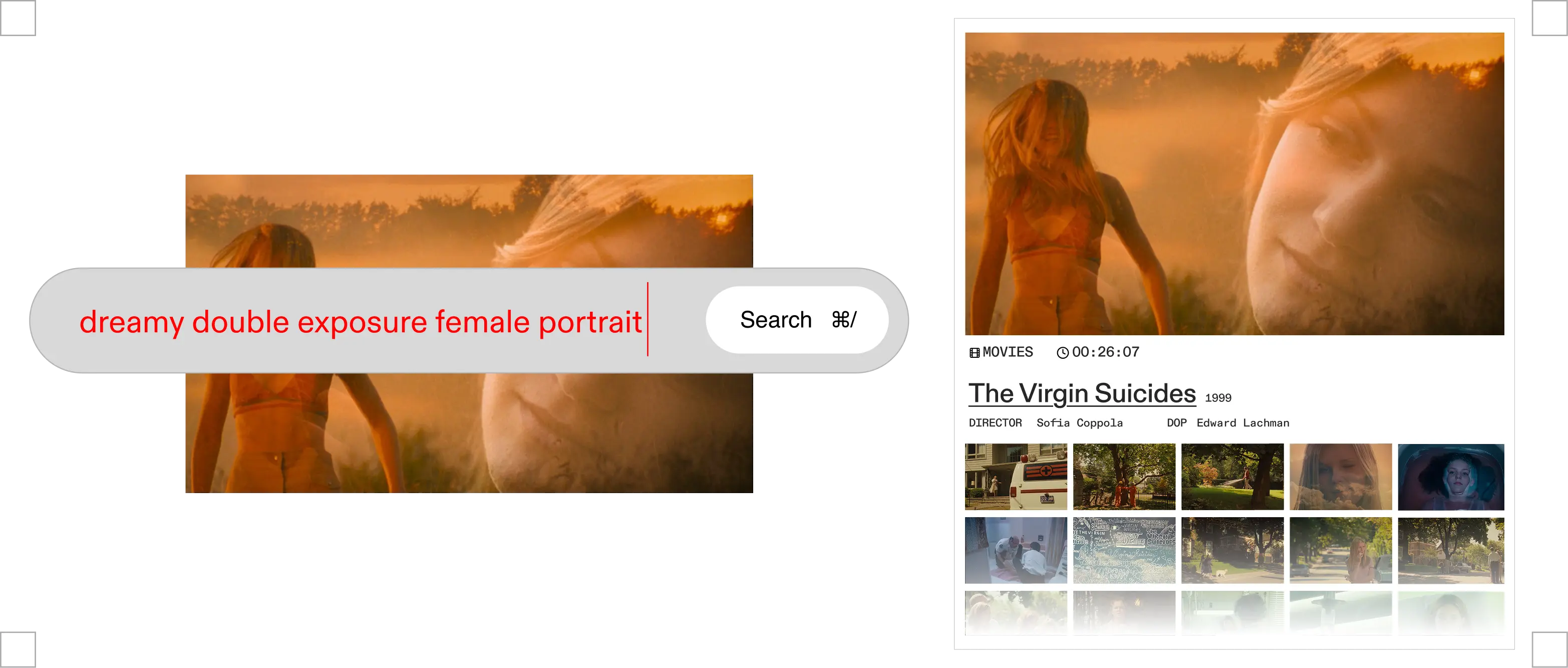
Flim is a movie scene finder for creative professionals. Instead of identifying which film a scene comes from, it finds scenes by what they look like: describe the light, palette, composition or mood, and AI Search returns matching frames from over 2 million films, series, commercials and music videos, ready to save to a board.
Two completely different needs share the same search query. One is consumer: what film is this scene from? The other is professional: find a scene with this quality of light, this palette, this emotional register, something to show a client, brief a team, or build a treatment around. Flim is the second one. Not a film identification tool. A professional movie scene finder: describe what you are looking for, and the AI searches over two million frames from films, commercials, series, and music videos to find it.
What are the two kinds of movie scene search?
The first kind is identification. You have a scene in your memory (or a screenshot on your phone) and you want to know what film it is from. Several tools do this well. They match descriptions to known scenes, identify dialog, or reverse-search images against a database of titles. If this is what you need, they are the right choice.
The second kind is discovery. You have something specific in mind: a particular way a scene is lit, a composition that carries a specific weight, a colour temperature, a setting, a particular combination of elements. And you need to find the cinematic frame that has it. Not to identify it. To use it. For a pitch, a treatment, a creative brief, a board that will get a team aligned before the first day of a shoot.
A consumer tool returns a title. A professional tool returns a frame. Flim is a professional movie scene finder. The entry point is a description of what you are looking for. The output is a visual result you can act on immediately: save to a board, share with a collaborator, or use as the basis for generation.
How do you find a movie scene by describing it?
Flim's AI Search does not require you to know the source. It requires you to know what you are looking for: a feeling, yes, but also a composition, a setting, a combination of visual elements. Which is almost always what a creative professional already has.
Golden hour, long lens, two figures in a field, a sense of waiting. Clinical white interior, harsh overhead light, institutional weight. Handheld, rainy night, neon reflections on asphalt, one person alone in the frame. These are real movie scene searches that return real cinematic frames across Flim's database. Not a title. Not a list of films that might match. A visual result. You describe the thing you saw in your mind. Flim finds the frame.
Most movie scene finders stop at the title. Flim goes to the frame, and the frame is what a creative team can actually use. Describe the quality of the scene you need. The AI finds it across two million cinematic references.
The database covers film stills from feature films, TV series, commercials, music videos, and fashion films. The inclusion of advertising and music video content is not incidental: for commercial directors, art directors, and DOPs working across formats, some of the most inventive visual language lives in short-form work alongside theatrical releases. Films remain the visual authority reference, but commercials and music videos are where niche aesthetics and avant-garde choices often appear first. Flim searches across all of it. The visual reference tool that results covers the full range of what professionals actually reference, not just what gets indexed by film databases.
From scene to brief
Finding the right scene is the first step. What happens with it is the point.
A commercial director building a treatment for a pitch pulls 30 frames from across Flim's library (films, ads, music videos) and arranges them into a board. The board is shared with the agency creative director before the first call. The pitch starts with a shared visual language instead of an abstract conversation about mood.
A DOP briefing a gaffer before a shoot sends a board of 10 frames, each selected for a specific quality of available light that needs to be recreated. Not a description. Not a reference to a film the gaffer may or may not have seen. Frames, each selected for the specific quality of light that needs to be recreated.
An art director presenting to a client at the start of a campaign builds a board that holds the visual language of the whole project in one place. 40 frames, from cinema and advertising, arranged to show how the campaign palette, composition, and mood will feel. Not a conversation about references. A board that replaces it.
For teams working across formats, the cinematic moodboard tools inside Flim extend the workflow: Magic Board generates a reference board from a script or pitch, the Aesthetics feature generates new images in the visual style of a found frame, and Veo and Seedance extend still references into motion. For those moving from metadata-based search, the ShotDeck alternative page covers the comparison in detail.
How it works
Type the visual qualities of the movie scene you have in mind: light, palette, mood, era, composition. No film title needed. Use AI Search for feelings and atmosphere, or filters for shot type, colour, and technical parameters.
The AI searches over two million frames from films, TV series, commercials, and music videos. Scroll, refine, or explore adjacent results to surface the exact frame.
Save frames to a board. Use Magic Board to build a full reference board from a script or pitch. Or generate a new image in the same visual style.
Go further
Got
Questions?

Flim is designed for professional visual research, not film identification. If you are looking to identify an unknown film from a scene, tools like find-scene.com or AIMovieFinder are built for that use case. Flim is for finding the scene that matches the visual idea in your head, for a brief, a treatment, or a moodboard.
Flim's database covers feature films, TV series, commercials, music videos, fashion films, and documentaries, over two million frames in total. The breadth across formats is one of its key advantages for commercial and music video directors.
ShotDeck is a metadata filter: you search by aspect ratio, lens, director, or film. It is precise when you know exactly what technical reference you need. Flim's AI search is semantic: you describe the feeling, and the AI interprets the visual qualities. The two approaches serve different moments in the creative process, and Flim combines both.
Yes. Any frame you find can be pinned to a board and shared via link. Boards are collaborative: your director, DOP, or client can view and comment without a Flim account.
Yes. Flim integrates Veo and Seedance for cinematic video generation, alongside Nano Banana for images. All three are pre-configured for a cinematic aesthetic, not generic AI output. You can find a reference scene, then generate a new version of its visual style.