Introducing Aesthetics
Turning a moodboard into consistent, production-ready visuals is often a slow, iterative process. Aesthetics solves this by locking in your creative direction. Select up to 10 reference images to create a reusable generative preset and produce aligned, high-consistency visuals in seconds.
How it works
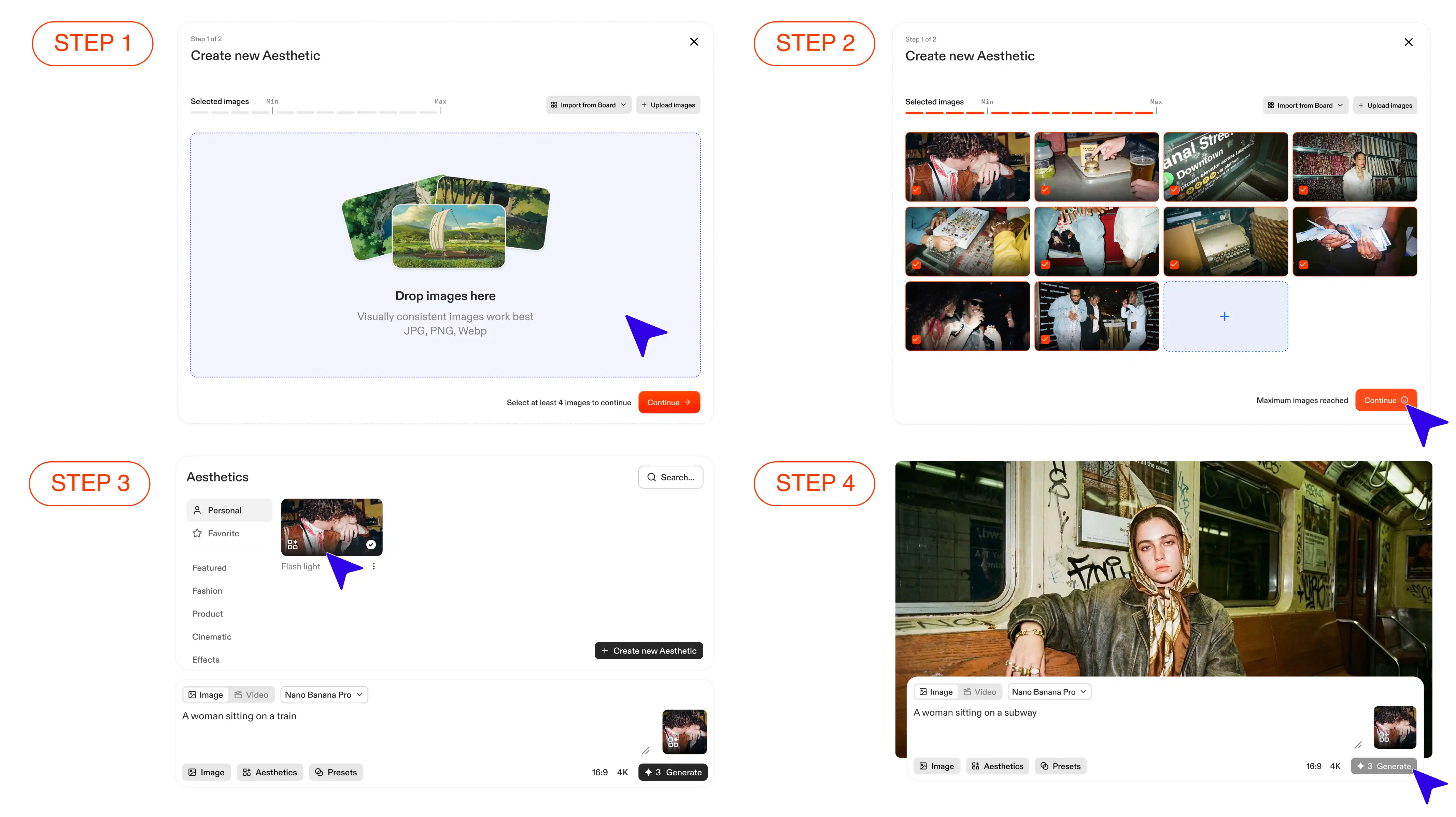
Step 1 - Define the visual direction: Create a board for your project and select 4 to 10 images that capture the look and feel you’re after, whether from Flim’s library or your own assets.
Step 2 - Lock in the vision: Flim analyzes your references to capture their lighting, mood, color profile, and artistic DNA. It turns these visual cues into a custom Aesthetic you can reuse across your generations.
Step 3 - Apply the Aesthetic: Generate new images using your custom Aesthetic. Your references become the visual brief, so you can achieve the same visual language without having to describe it in detail every time.
Step 4 - The result: A coherent visual world where every generated image feels part of the same creative direction, with a consistent look, mood, and visual language.
Ready-made Aesthetics
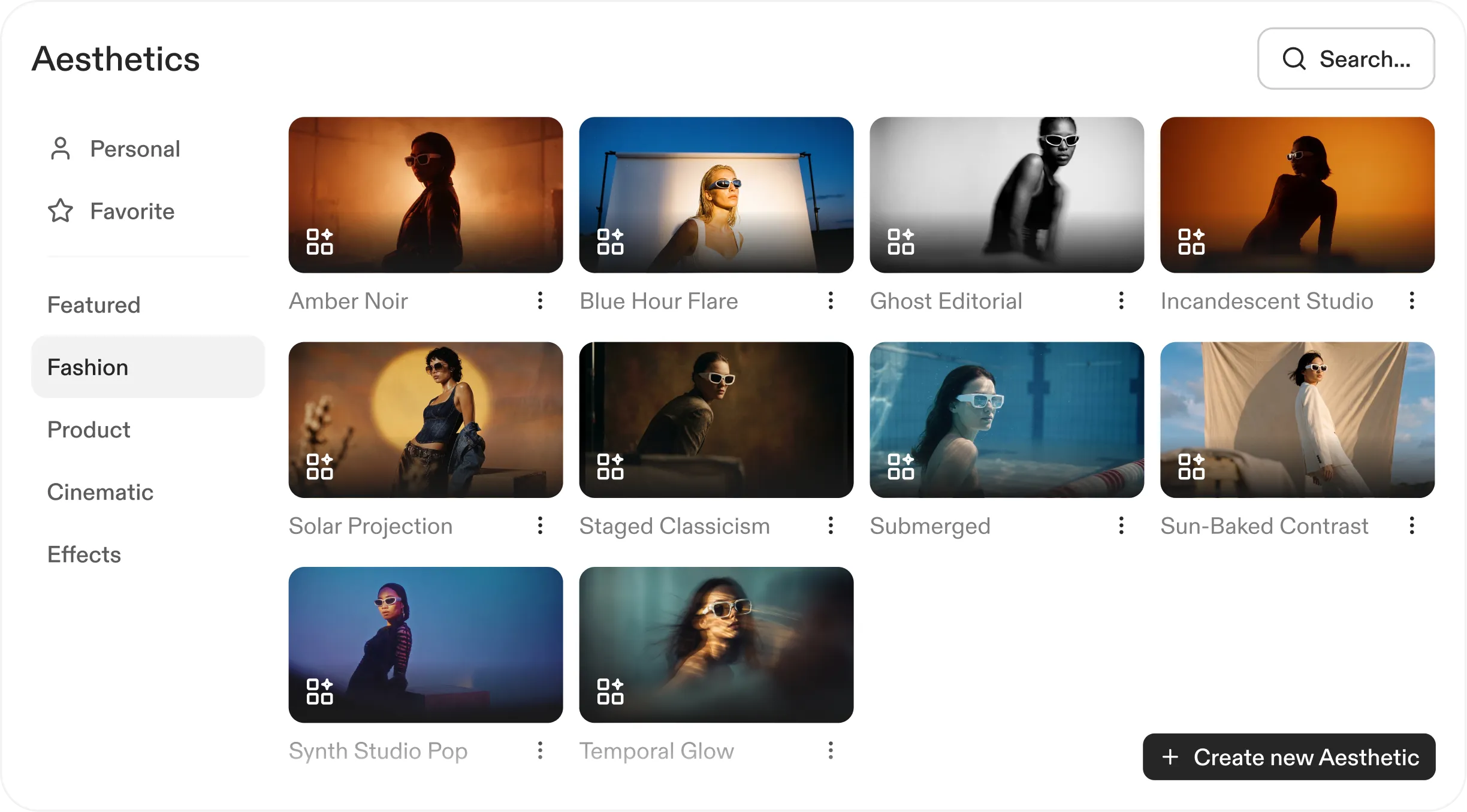
Flim offers a curated library of ready-made Aesthetics, designed around visual directions for cinema, advertising, product design, and music videos.
Use them to quickly explore different creative directions for your project. For example, take a specific product or object and instantly see how it looks across different aesthetics, from a gritty 16mm film look to a high-gloss fashion aesthetic, all in a single click.
This makes it easy to experiment, iterate, and find the right visual direction without starting from scratch.
3 ways to use Aesthetics
Aesthetics can be used in different ways depending on what you’re creating. Here are three common workflows to get the most out of them:
1. Text-to-Image generation
Start with an Aesthetic, then describe the scene you want to generate using text only. Flim uses your prompt to create the scene while keeping the visual style, lighting, and mood of your chosen Aesthetic consistent.
2. Cinematic scenes & effects
Use the Cinematic and Effects categories from Flim’s Ready-made Aesthetics to integrate specific characters, objects, or visual elements into a scene.
- Upload up to 3 reference images (e.g. a character, an object, or a key asset).
- Describe the scene in your prompt and specify how your references should interact within it.
- Flim generates the scene you have in mind, combining your references with the visual style of the chosen Aesthetic.
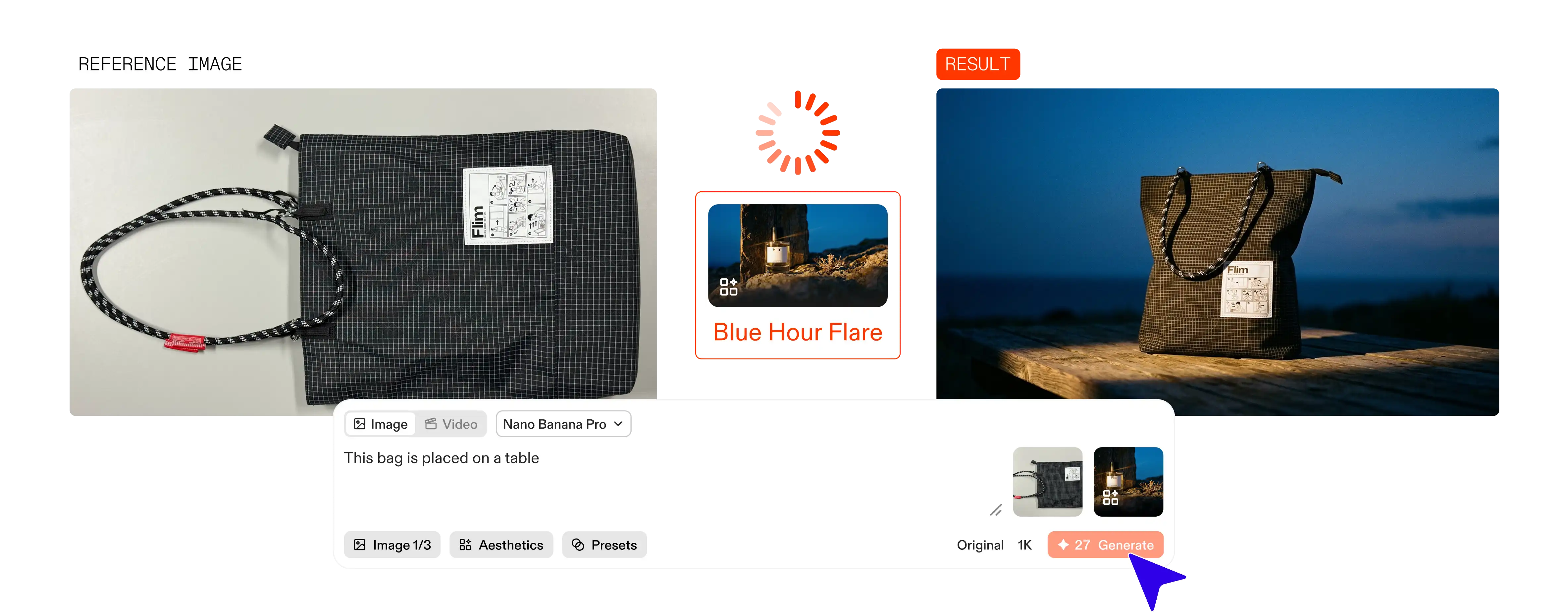
3. Product visuals & set designs
Use the Product category from Flim’s Ready-made Aesthetics to create polished branding visuals around a specific product or object.
Upload a reference image of your product and apply an Aesthetic to generate a packshot or place it in a stylized set.
Built for creative workflows
This new feature is designed for the reality of the creative workflow on Flim. It allows you to:
- Save a visual style: Archive custom presets for future use across projects or teams.
- Ensure coherence: Build mood boards, packshots, and storyboards where every frame feels like it belongs to the same production.
- Iterate with speed: Move from raw references to a complete, consistent visual universe in an instant.
Try Aesthetics now on Flim for Pro users.
Got
Questions?

An Aesthetic is a custom generative style built from up to 10 reference images. Flim extracts the lighting, mood, color profile, and artistic DNA of your selection and turns it into a reusable preset you can apply to any generation.
Yes. You can mix images from Flim's library with your own uploaded assets when building a board, as long as you stay within the 10-image limit.
Both. You can use your custom Aesthetic to generate brand new frames or to edit existing images while keeping the same visual consistency.
No. Once your Aesthetic is created, it acts as the creative brief. You can generate new scenes with a simple text prompt, and Flim will lock in the visual style, lighting, and mood automatically.