Nano Banana Pro on Flim: precise cinematic control
Precision is what separates a usable AI still from a generic one. Nano Banana Pro, built on Gemini 3 Pro image, gives directors, filmmakers, and treatment researchers granular control over lighting, camera angle, focal length, depth of field, and colour grading. This piece walks through the cinematic vocabulary that gets the best results and how to iterate on a generation the way you would adjust a shot on set.
This new update (Gemini 3 Pro image) gives you far more precise control over lighting, camera angle, focal length, depth of field, color grading and more.
Whether you’re building a treatment, refining a storyboard, searching for the right atmosphere, or trying to visualise a shot, Nano Banana Pro lets you shape images with intention and accuracy. It’s particularly powerful when paired with Flim’s database.
Here’s some practical tips to get the best results, tailored for directors, filmmakers, or treatment researchers.
Use cinematic vocabulary & references
Nano Banana Pro doesn’t just understand cinematic vocabulary very well, it also interprets the different cinematic aspects of a reference image.
Upgrade your prompts by adding details about:
Camera: 35mm, 50mm, macro, handheld
Lighting: softbox, top light, magic hour
Composition: center-framed, wide master, profile close-up
Mood: sterile, dreamy, hyperreal
Texture: film grain, lens breathing.
Or upload a reference image showing what you want.
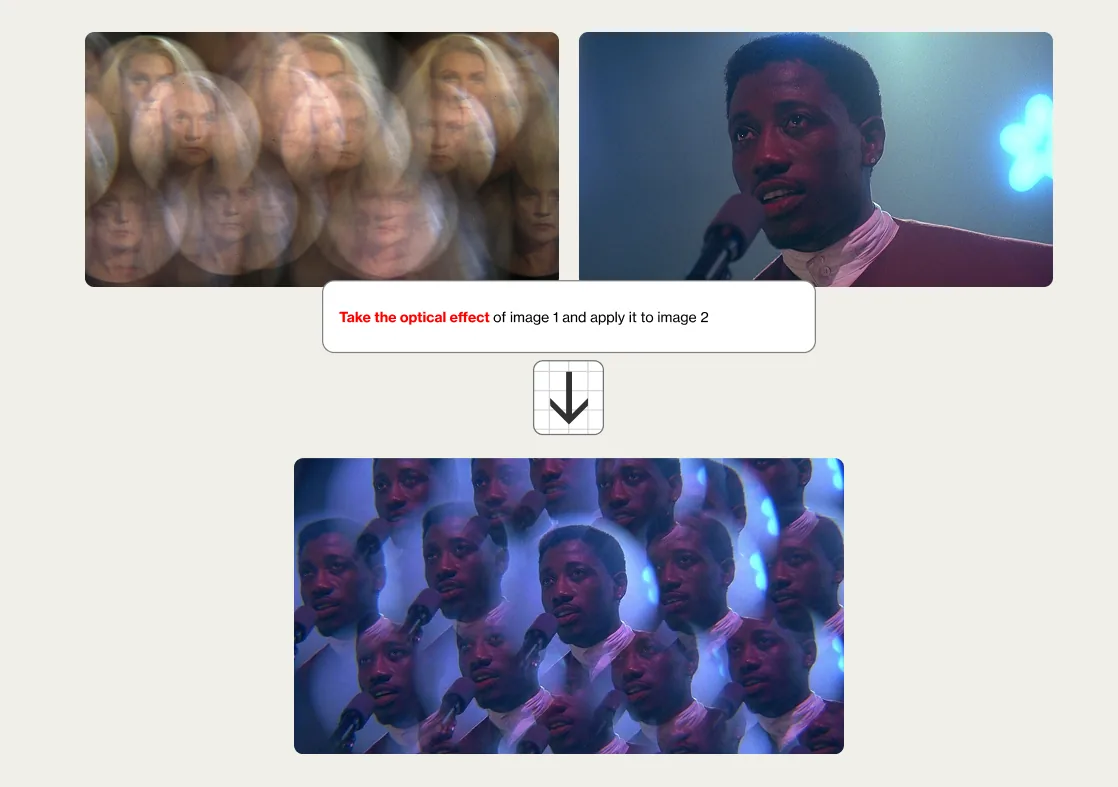
Upload references for consistency
Upload:
- character looks
- color palette/grading
- previous shots from the project
Write: “Match the style, palette and lighting of these references.”
Note that character consistency is great, and that you can accurately generate shots of the same person in different settings.
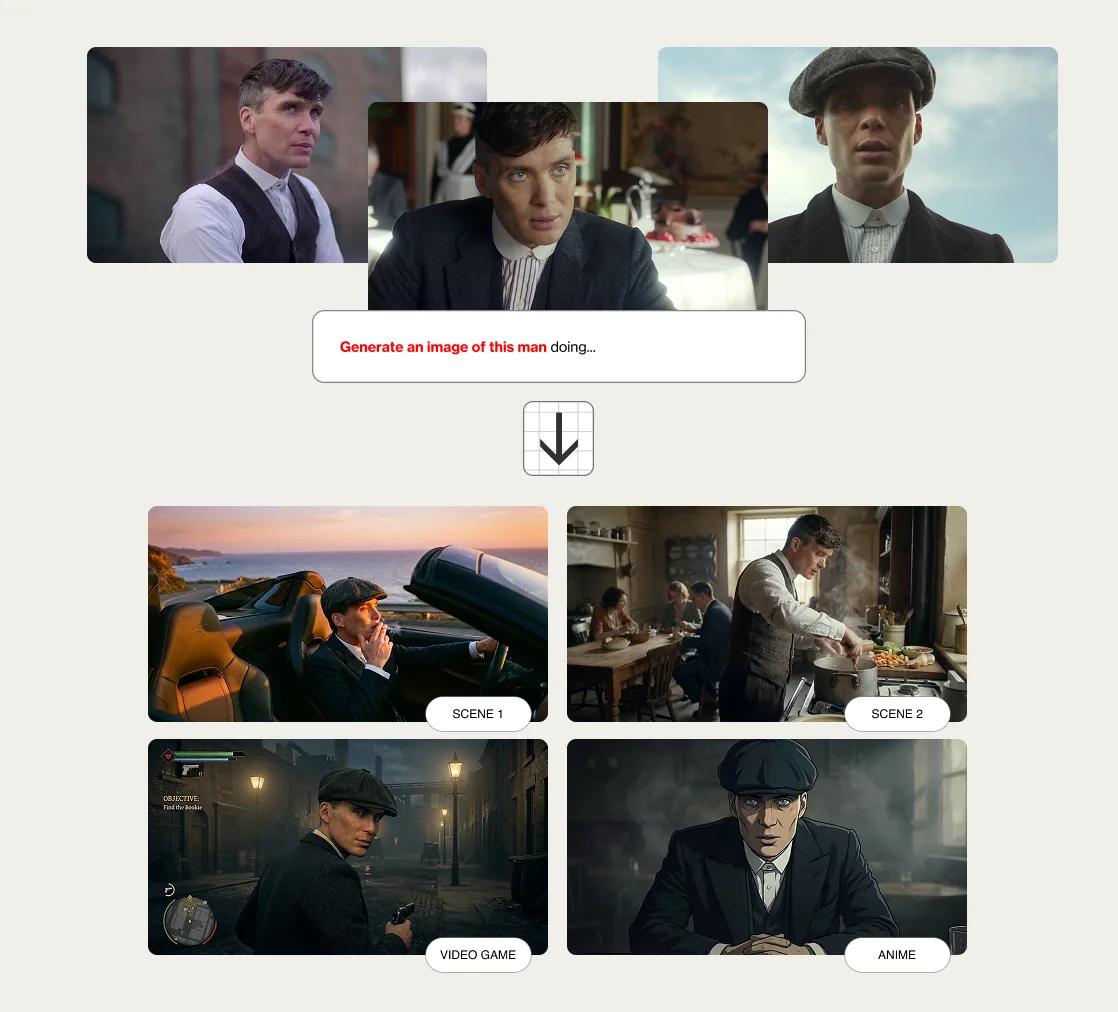
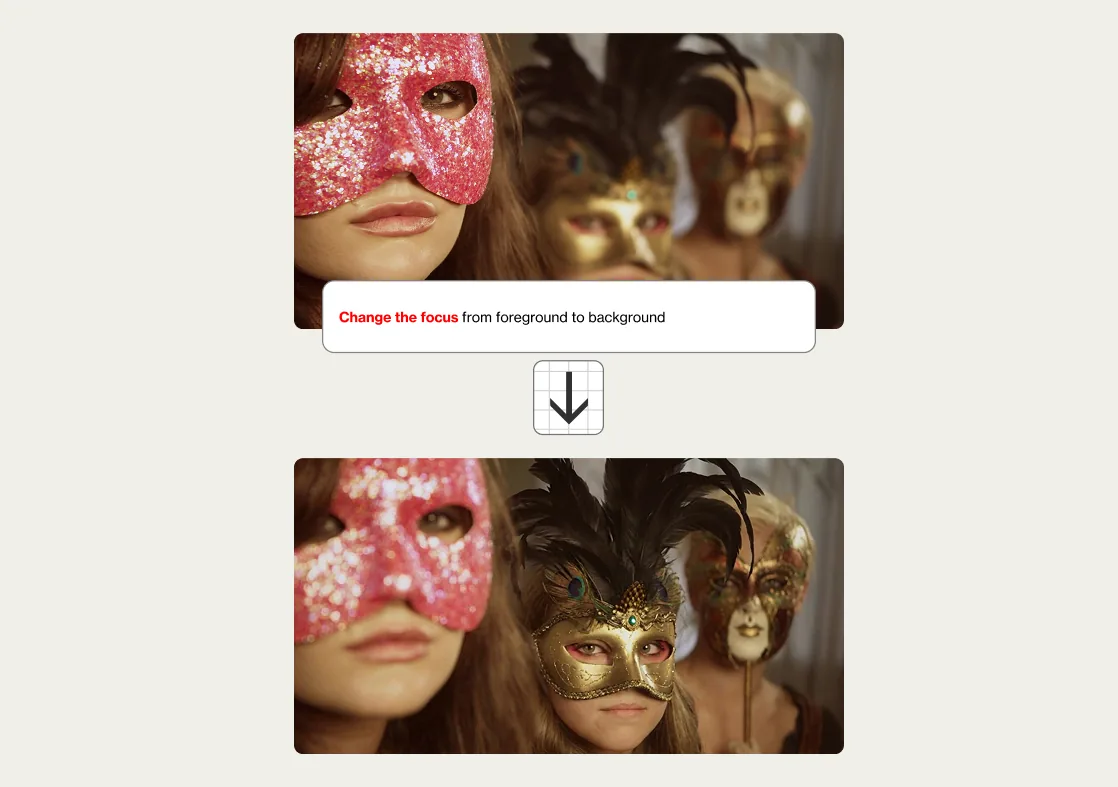
Iterate like you would with a DP
Try these prompts:
- “Same frame, but backlight instead of sidelight.”
- “Push toward a more analog palette.”
- "Add haze, reduce contrast, keep composition.”
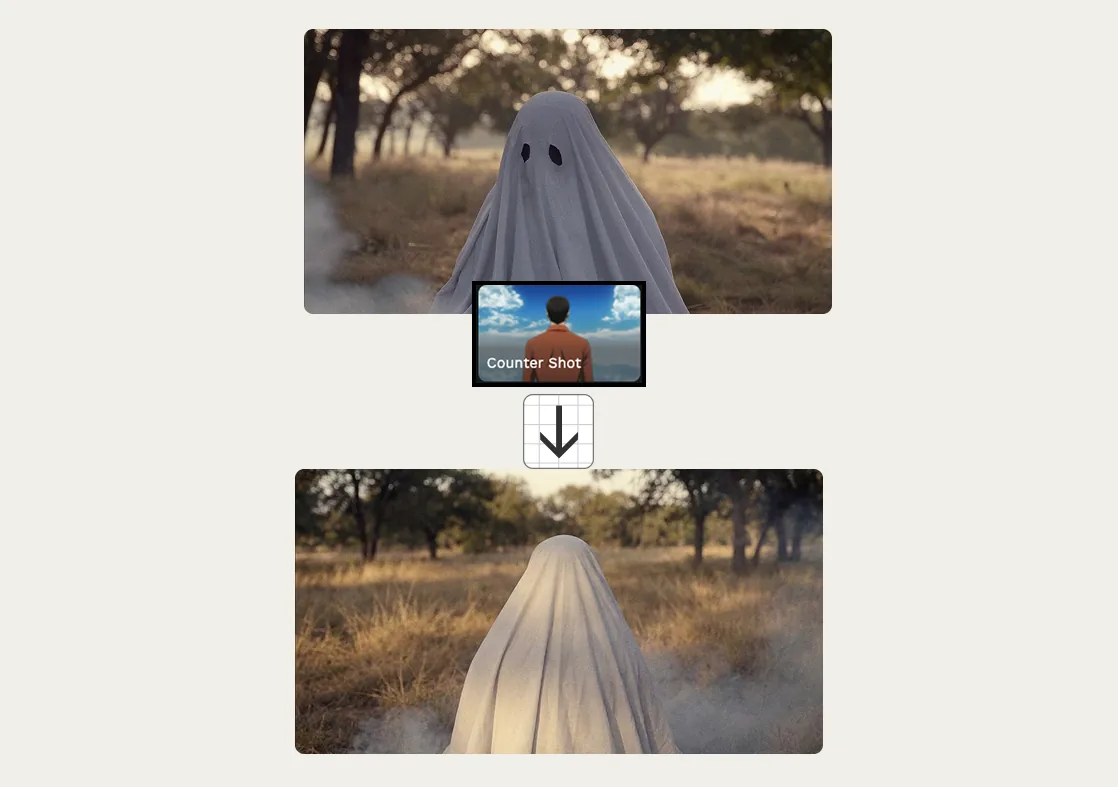
Use Flim's Preset to instantly generate accurate variations of camera angles.
Fill the gaps between real references
- Creating missing transitions between two moods
- Generating speculative set design or atmospheres
- Previsualize VFX ideas
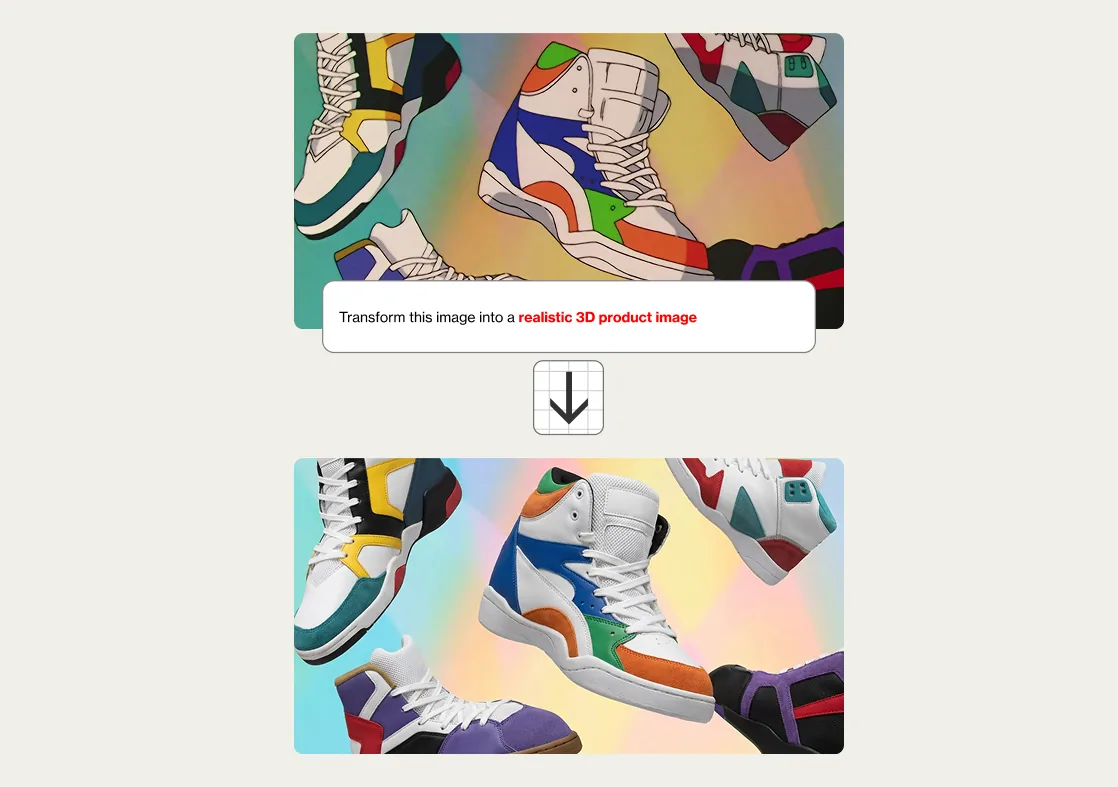
Nano Banana Pro takes everything to the next level: it’s now faster and more precise for exploring new camera angles, blending and combining up to three images, enhancing realism with fewer artifacts, or placing the same character in a variety of situations.
Try it now on Flim for Pro users!
Cheers,
The Flim Team

Got
Questions?

Nano Banana Pro, based on Gemini 3 Pro image, is an image generation and editing model that gives far more precise control over lighting, camera angle, focal length, depth of field and colour grading.
Use precise cinematic vocabulary in your prompts, specifying camera (35mm, handheld), lighting (softbox, magic hour), composition and mood, or upload a reference image.
Yes. You can upload character looks, a colour palette or previous shots from your project so new generations stay consistent.
Yes. Prompts such as "same frame, but backlight instead of sidelight" let you refine a result the way a DP would adjust a setup.
It is aimed at directors, filmmakers and treatment researchers who need accurate, intentional control over a shot rather than a generic image.