Generate video with image and audio references
A single text prompt can only carry so much creative intent. Seedance 2.0 now accepts multiple image and audio references in one generation, so a lighting reference, a character shot, and a soundtrack can all shape the same cinematic sequence. This piece covers how to assign a role to each reference and how audio drives rhythm, mood, and lip-sync.
Seedance 2.0 lets you generate cinematic videos using multiple image and audio references. Combine curated visual and audio references with text prompts to create cinematic sequences that preserve visual quality, character consistency, and creative intent.
Blend multiple references into one vision
Bring together the lighting from one film, a character reference, a storyboard sketch, or even a soundtrack, all within a single generation.
Rather than relying solely on text prompts, Seedance 2.0 lets you combine multiple images and audio files, alongside written instructions to generate highly controlled results.
💡 Tip: Assign a clear role to each reference in your prompt (character, composition, lighting, etc.) to achieve more precise results.
Example A: Use (Image 1) for the vehicle design, (Image 2) for the environment, and (Audio 1) for rhythm. A high-speed chase through a neon-lit metropolis.
Example B: Use (Image 1) for the character, (Image 2) for lighting, and (Audio 1) for lip-sync. The character speaks directly to the camera in a dramatic close-up.
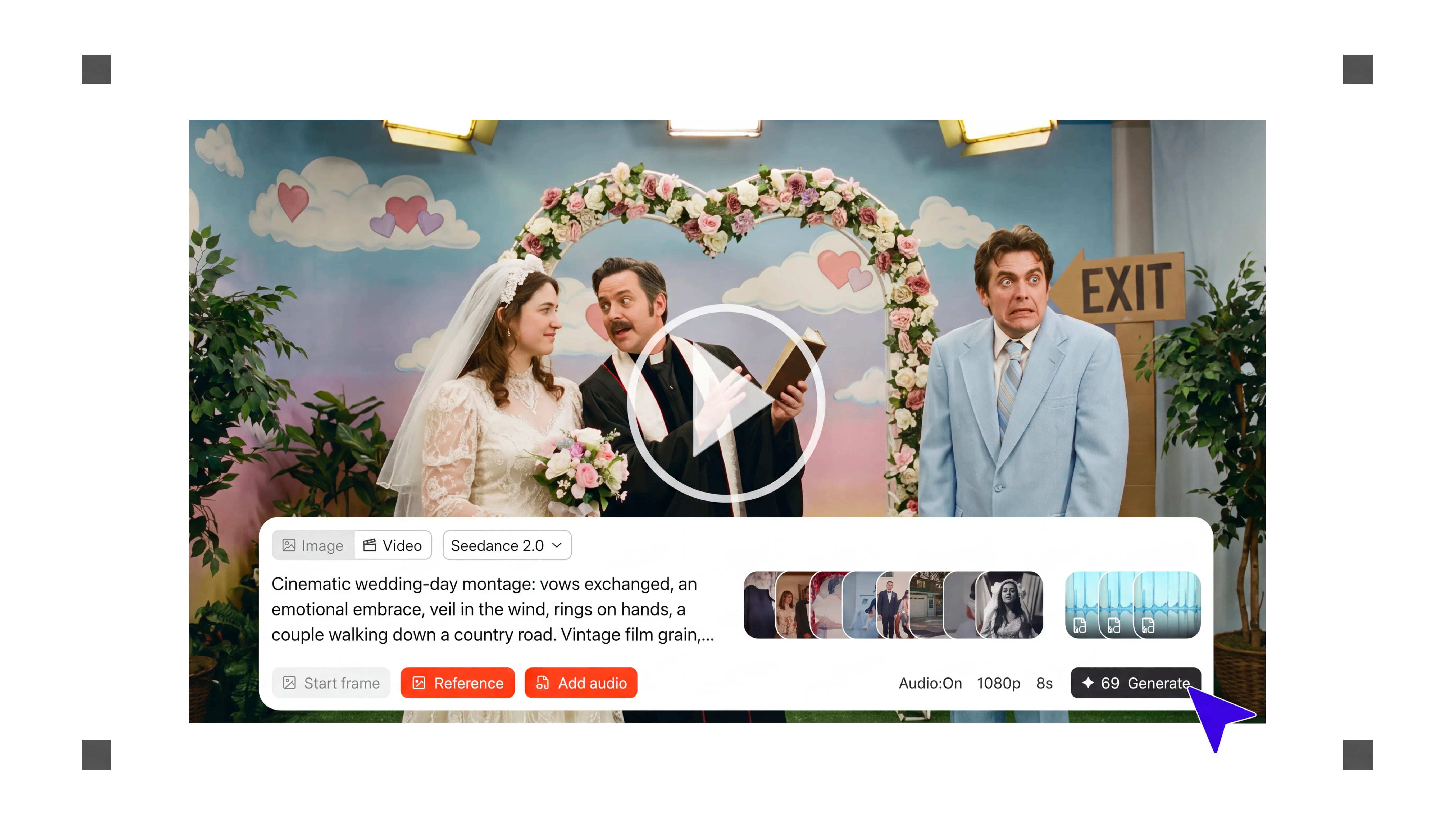
Guide rhythm, mood, and lip-sync with audio references
Audio references can guide rhythm, mood, dialogue timing, and lip-sync. Whether you upload music, voice-over, or ambient sound, Seedance 2.0 can use the audio to shape how the video unfolds over time. For best results, explicitly describe the role of each audio reference in your prompt.
When using music, Seedance 2.0 can synchronize visual pacing to the soundtrack. Cuts, camera movements, transitions, and scene dynamics naturally respond to changes in rhythm and energy, making it easier to create mood films, sizzle reels, and pitch videos that already feel professionally crafted.
Voice recordings can also be used as a reference for dialogue timing and lip-sync. Characters can synchronize their speech and facial movements to the audio, helping you quickly visualize narrated scenes.
💡 Tip: Clearly specify how each audio reference should be used (e.g. background music, rhythm guide, voice-over, or lip-sync reference). This gives you more predictable results and greater creative control over the final video.
Generate real scenes, not just clips
Seedance 2.0 can generate sequences between 4 and 15 seconds long, allowing ideas to unfold over time rather than being confined to short loops.
Because motion, lighting, and scene logic remain coherent across the sequence, these sequences become valuable previsualization assets. For directors and creative teams, this means faster iteration and clearer communication of intent.
💡 Tip: Treat your prompt like a mini storyboard. Describe each shot in chronological order so your sequence unfolds naturally over up to 15 seconds.
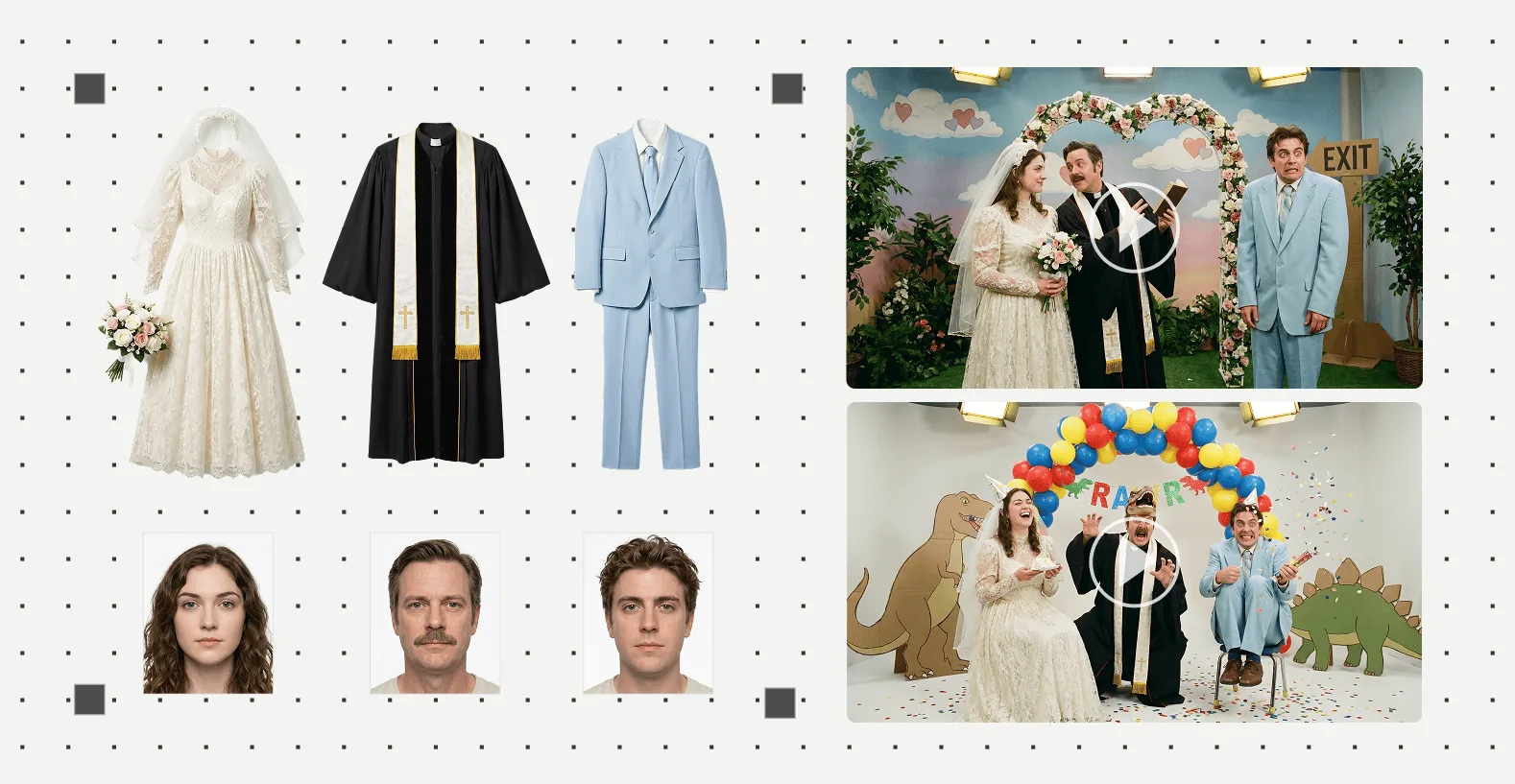
Keep characters consistent across shots
One of the biggest challenges in AI-generated video is maintaining continuity. Seedance 2.0 helps preserve facial features, wardrobe, and defining visual traits across multiple generations.
💡 Tip: Begin with a clear close-up to establish facial identity, then reinforce costume and silhouette through wider references.
Got
Questions?

Yes. Seedance 2.0 lets you assign a clear role to each image reference in your prompt, such as character, composition or lighting.
Yes. Uploaded music, voice-over or ambient sound can guide rhythm, mood, dialogue timing and lip-sync as the video unfolds.
Describe the role explicitly, for example "use (Image 1) for the character, (Image 2) for lighting, and (Audio 1) for lip-sync."
Yes. When using a music reference, Seedance 2.0 can synchronise cuts, camera movement and scene dynamics to the rhythm and energy of the track.
Seedance 2.0 powers multi-image and multi-audio reference generation on Flim.