How to generate better images and videos on Flim
Most disappointing AI generations come down to unclear prompts, not weak models. This guide covers the prompting fundamentals that make the biggest difference on Flim: what to describe, how to iterate one variable at a time, and how to use reference images to keep a character or object consistent across a whole sequence.
With advanced models like Seedance, Veo and Nano Banana, Flim brings together all the tools you need (text-to-image, image-to-image, text-to-video, and image-to-video) under one roof. Here are some tips to help you generate better AI images and videos on Flim.
The formula for effective prompts
Creating high-quality AI images and videos starts with clear visual intent. Focus on describing the subject, environment, mood, lighting, composition, and camera language rather than writing long, overly complex prompts.
On Flim, every generation benefits from a built-in cinematic preset, helping you achieve more film-inspired results from the very first prompt.
We’ve created a short guide to help you get higher-quality outputs, step by step:
Mastering the workflow
Once you have a strong foundation, use these three workflow strategies to elevate your results:
Iterate step-by-step
Don't try to write the perfect prompt on your first attempt. Start with your core subject and environment, generate, analyze the result, and refine it step by step. When making adjustments, change one variable at a time, such as lighting, camera angle, color palette, or movement, so you can clearly understand what influences the output.
Use reference images
Want to maintain the same object or character across multiple scenes? Use a reference image from Flim or upload your own to ensure consistency across generations.
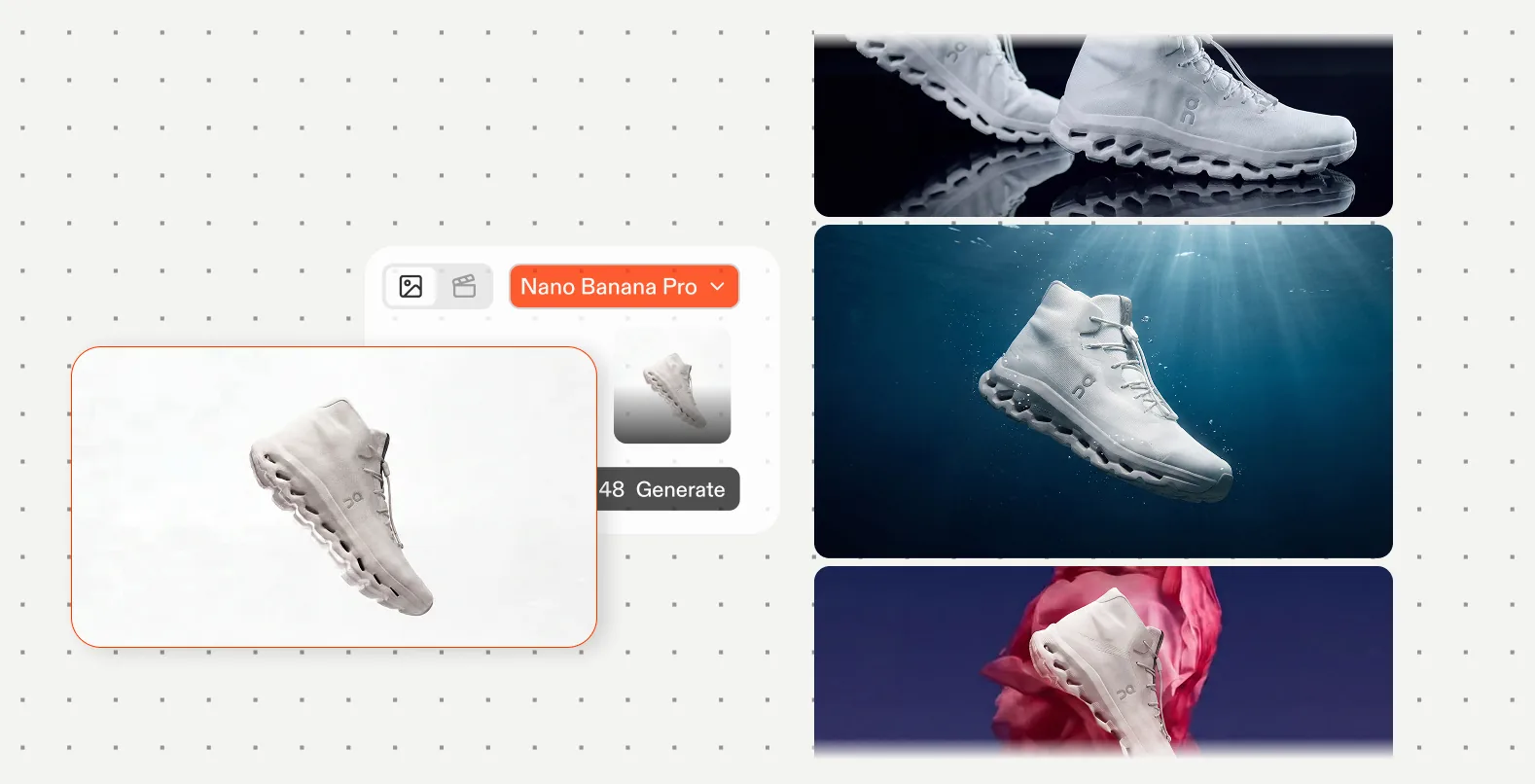
Use generated images as creative stepping stones
A generated image doesn't have to be your final destination. Use it as a reference for a new generation, a video animation, a different style, or a more detailed iteration. Creative workflows are often built through successive transformations.
Reuse and remix existing prompts
On Flim, click on a prompt to copy it instantly, whether it's one of your own creations or a result shared by another user. Modify a few elements, experiment with new directions, and build on proven foundations instead of starting from scratch.
Collaborate through prompts
Prompts are meant to circulate. Share successful generations with your team, copy settings from existing projects, and iterate collectively.
The right settings
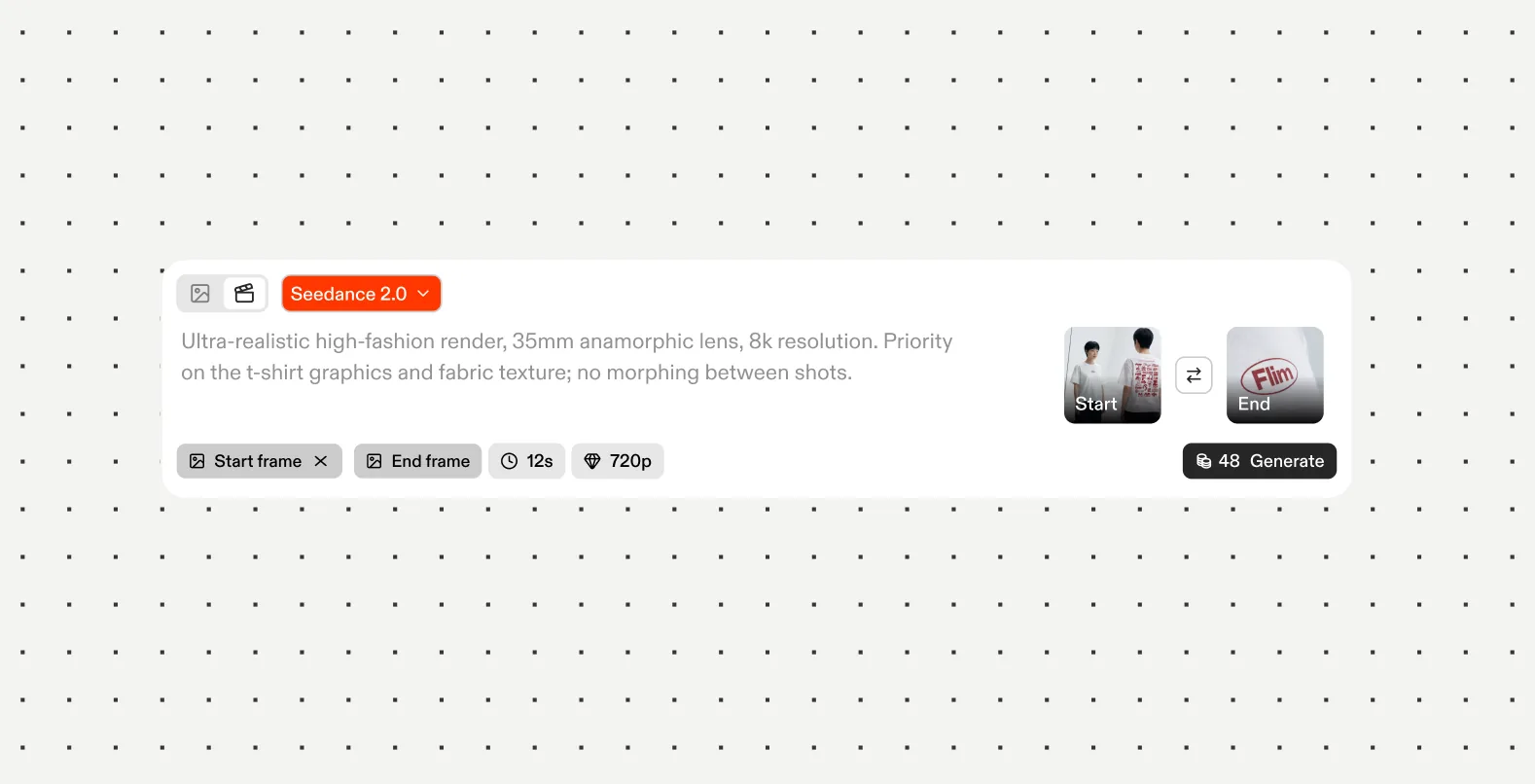
Before you hit generate, don't forget to dial in your technical parameters right on the Flim interface:
- Aspect ratio: Match your format to your platform (16:9/9:16)
- Quality and resolution: Scale up your resolution settings when you're ready for final renders to lock in hyper-realistic details.
- Duration: Set your timeline length based on whether you need a quick transition or a longer narrative shot.
- Audio: Instantly enable or disable sound generation depending on your project needs.
Got
Questions?

Focus on describing subject, environment, mood, lighting, composition and camera language rather than writing long, overly complex prompts.
No. Every generation on Flim benefits from a built-in cinematic preset, so a clear, focused prompt is more effective than an overloaded one.
Start with your core subject and environment, generate, then adjust one variable at a time, such as lighting or camera angle, so you understand what changes the result.
Yes. Use a reference image from Flim or upload your own to maintain consistency across multiple generations.
Yes. A generated image doesn't have to be a final result; it can be used as a reference for a further generation.