The FilmGrab alternative for when you're working a brief
Flim is a FilmGrab alternative for creatives who need to search, not only browse. Its AI Search reads descriptions of mood, light and colour across over 2 million stills and video cuts from films, series, ads and music videos, and lets you build shared boards and export them straight into your deck.
You have the mood in your head and FilmGrab open in another tab. You click through galleries, film by film, hoping the light you're picturing is somewhere in there. For studying a film, that ritual is hard to beat. A pitch asks for something else: finding a frame by feeling rather than by title, looking beyond cinema into ads and music videos, and putting everything on a board your team can open tonight. That is where Flim fits.
What makes FilmGrab worth bookmarking?
Any honest FilmGrab alternative starts by saying what FilmGrab does well. Since 2010, one curator, filmmaker and cinematographer Dawn, has built an archive of nearly 4,000 films, and every still is hand-picked, catalogued and uploaded by her.
The result reads like a film school handout. Galleries are organised by director, cinematographer, production designer and costume designer, so you can follow a DOP from one film to the next or study how a production designer builds a palette.
It is free, supported by its readers on Patreon, and it deserves its place in your bookmarks.
Where does FilmGrab stop when you're working a brief?
People rarely look for a FilmGrab alternative because of the archive itself. They look when the work changes. FilmGrab is built for browsing a film, and a brief rarely starts with a title. It starts with a feeling, a client reference and a deadline.
A brief usually asks for four things FilmGrab was never designed to do:
- Search for a mood, a light or an era without knowing which film holds it.
- Look beyond feature films, into the ads and music videos where niche aesthetics often live.
- Work with motion, not only stills.
- Collect, share and export references as one board.
How does Flim's AI Search find a frame you can't name?
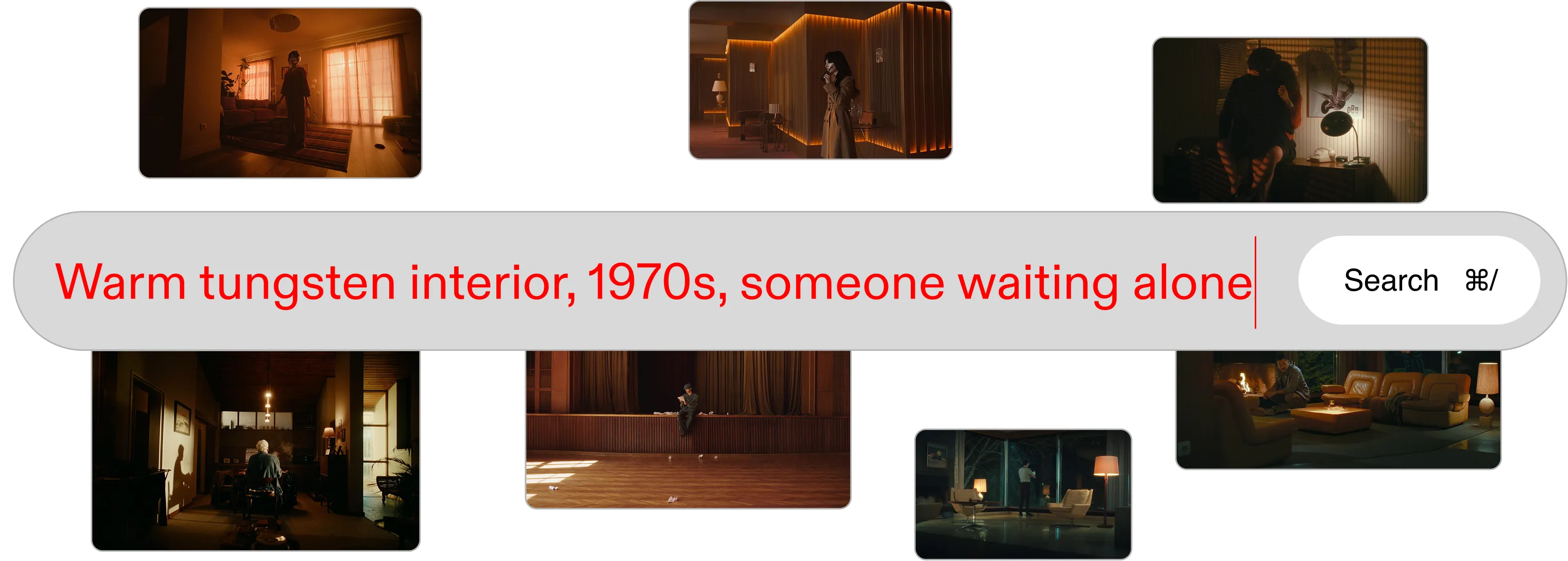
Where FilmGrab asks you to browse, Flim, as a FilmGrab alternative, lets you describe. Type "warm tungsten lit interior, 1970s, someone waiting alone" and AI Search reads the visual meaning of the words, then returns frames that match the mood, not only the metadata.
When you know exactly what you need, the visual search engine gives you four ways in:
- AI Search: describe mood, light, colour or era in plain words.
- Filters: 11 cumulative filters, from Frame size and Ratio to Motion and Color & lighting.
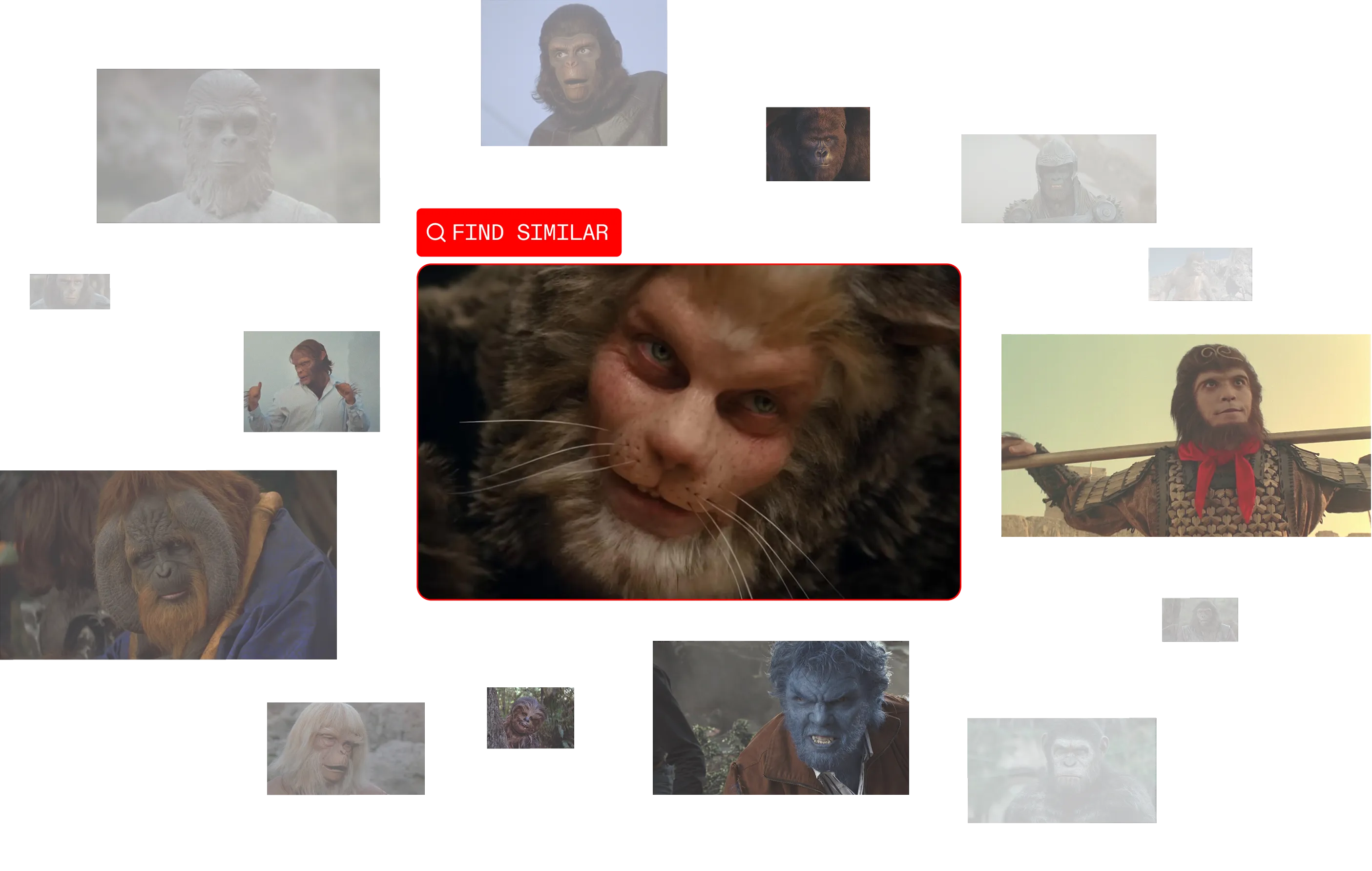
- Reverse Image Search: drop in an image your client already approved and find its neighbours.
- Search inside a media: search within a single film or music video, the closest thing to a FilmGrab gallery, with a search bar on top.
And if you like starting from people, as FilmGrab does, Instant Search Suggestions surface directors and directors of photography as you type.
What's in the library beyond feature films?
The biggest difference between FilmGrab and a FilmGrab alternative like Flim is scope. Flim holds over 2 million images drawn from films, TV series, ads, music videos and documentaries.
Feature films remain the backbone of visual reference. But commercials and music videos are where a lot of daring lighting, grading and styling happens, and a campaign brief often needs both. The film stills library covers them side by side.
Motion is part of the library too: 575,000 video cuts from ads and music videos, downloadable as MP4 or GIF on the Pro plan. Every asset carries its credits: director, director of photography, production house and release date.
From reference to board to deck
Finding the frame is half the job, and this is where a FilmGrab alternative has to earn its place in a working day. On Flim, every still and video cut can be saved to a cinematic moodboard in one click.
- Boards: unlimited, private or public, edited in real time with your team from the Basic plan. A public link opens without a Flim account.
- Smart Suggestions: reads the visual DNA of a board and proposes frames that fit.
- Magic Board (Pro): paste a script or a pitch and get a board of 25 to 100 images that follows its chronology. It speeds up the search, your eye still makes the selection.
- Export and Canva integration: download a board as a ZIP, or bring it into the deck with Flim in Canva.
When the reference you need does not exist yet, the Pro plan adds generation. Generate and edit images directly with Nano Banana or Seedance, or use Aesthetics to lock a visual direction from 4 to 10 images, then generates images within that style.
Can you use FilmGrab and Flim together?
Yes, and many creatives will. Keep FilmGrab for studying a cinematographer's body of work film by film, for a class, a thesis or an evening of looking. Use Flim for pitches, treatments and moodboards: search by feeling, reach into ads and music videos, share the board, move to the final deck.
How it works
Three steps from a feeling to a shared board.
Write the mood in plain words, stack filters, or start from a reference you already have.
Collect stills and video cuts, then let Smart Suggestions fill the gaps.
Send a public link, download a ZIP, or build the deck straight in Canva.
Go further
Got
Questions?

Flim has a free plan with unlimited search, advanced filters, Reverse Image Search, public boards and one download per day, from 1080p to 2K. Paid plans start at €14.90 per month, with unlimited downloads up to 4K and private boards.
Yes. Instant Search Suggestions surface directors and directors of photography as you type, and every asset lists its director, director of photography, production house and release date.
No. The library covers films, TV series, ads, music videos and documentaries. It also includes 575,000 video cuts from ads and music videos, available on the Pro plan.
Flim is a reference tool. Stills, video cuts and AI generations can be used for personal, educational and internal professional work such as moodboards, internal pitch decks and research. They are not royalty-free and should not appear in final client deliverables or campaigns.
Several film stills sites cover different needs, from free archives to paid professional databases. The guide to the best film stills websites on the Flim blog compares the main options, and the ShotDeck alternative page explains how Flim compares with ShotDeck.