Introducing Magic Board: from script to board
Turning a script or a pitch into a visual board usually means hours of manual searching. Magic Board changes that: write your synopsis, pitch, or upload a script, and Flim's AI builds an instant cinematic moodboard from it, pulled directly from the stills database. This piece covers how Magic Board works, what makes a good input, and the practical tips the Flim team recommends for getting a board worth refining rather than starting over.
Flim’s new Magic Board is the fastest way to illustrate your story. Whether you’re fleshing out a synopsis, brainstorming a new ad pitch, or imagining your next music video, Magic Board gives you an instant starting point - so you can focus on refining your craft.
How does it work?
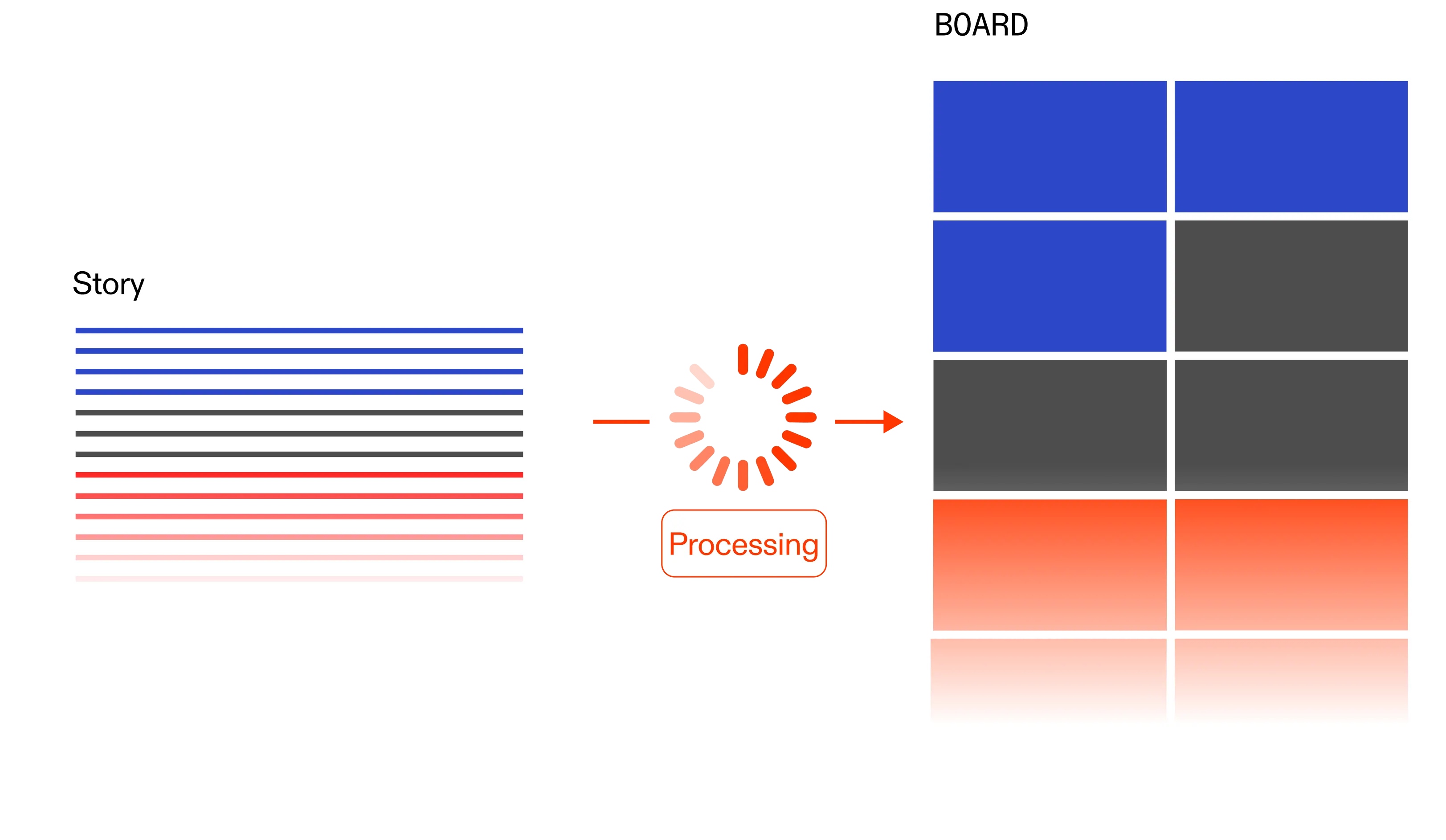
1. Write your text
Write your pitch, synopsis, or upload a PDF or .txt file.
2. Pick your Board size
Choose from 25, 50, or 100 images - depending on how deep you want to go.
3. Create your Magic Board
Our AI selects from the stills database to build a visual board tailored to your narrative.
4. Refine
From there, it’s yours to play with: reorder, add or remove images, and shape the board exactly how you want.
Where to find it?
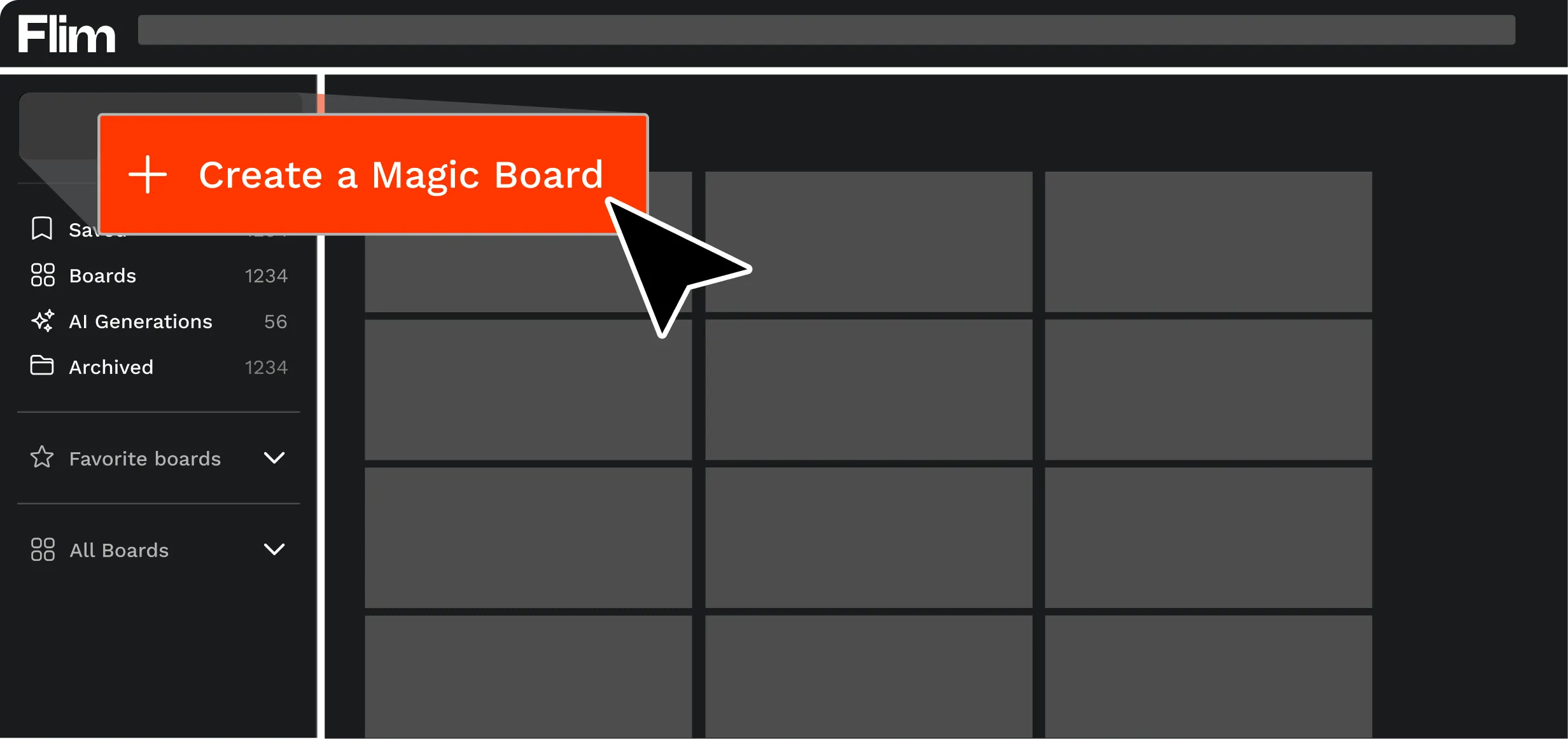
From the app's homepage, click on the "Boards" icon in the top right corner.
Then, click on "Create a Magic Board."
Your Magic Boards will then appear in your Boards collection.
Example
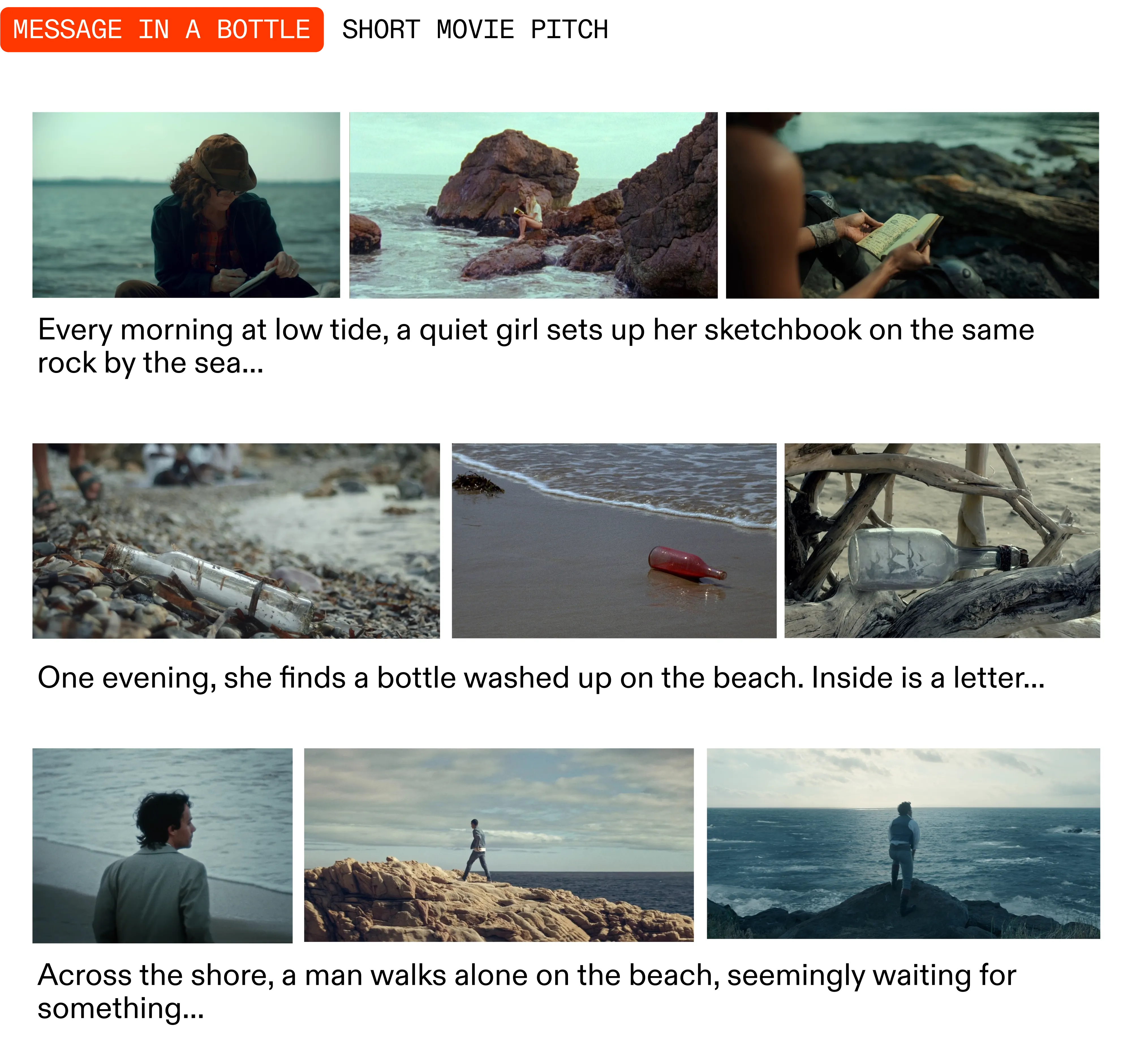
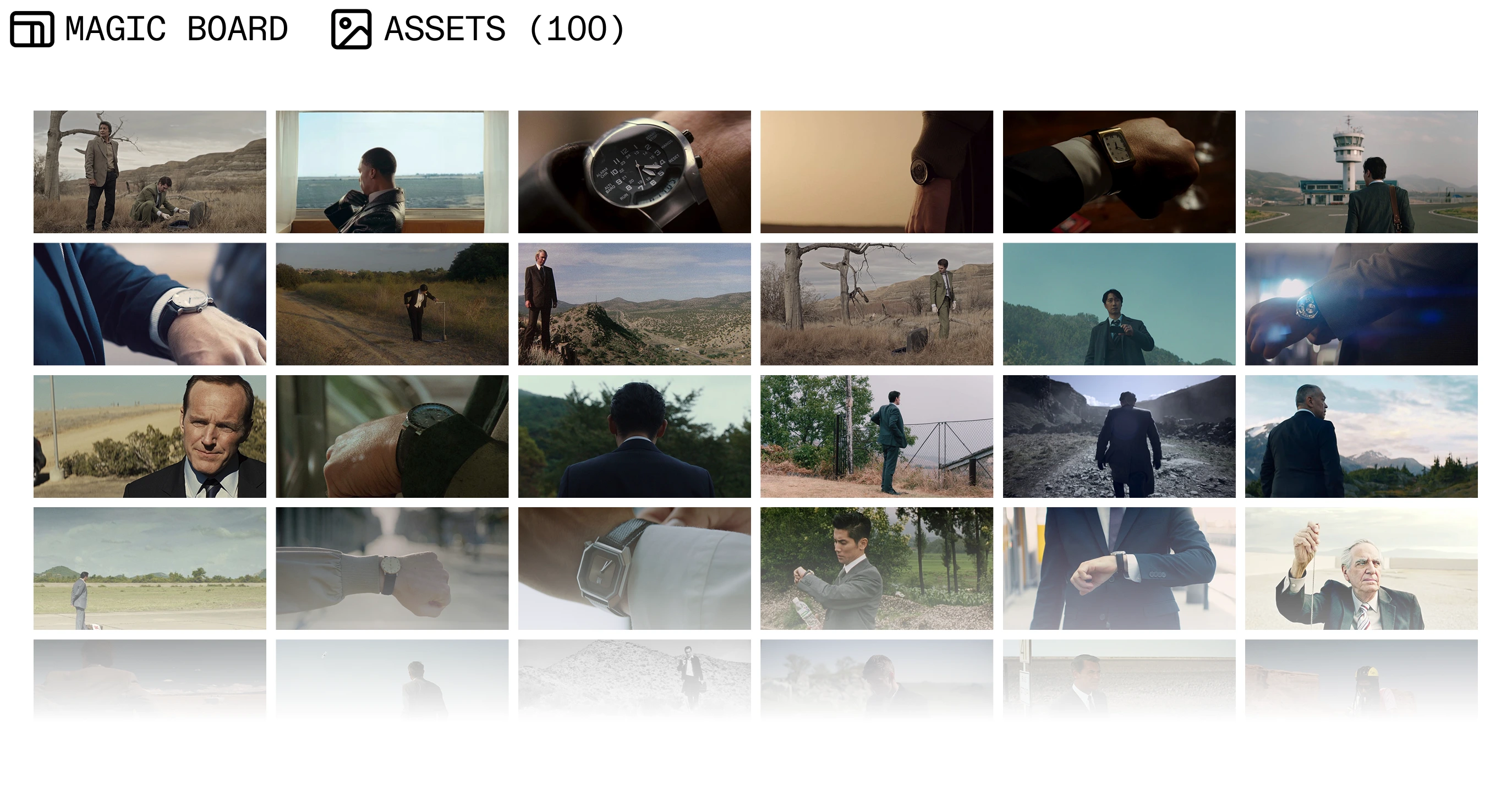
Type a story and get a preselection of images from Flim's database to illustrate it.
Pro tips
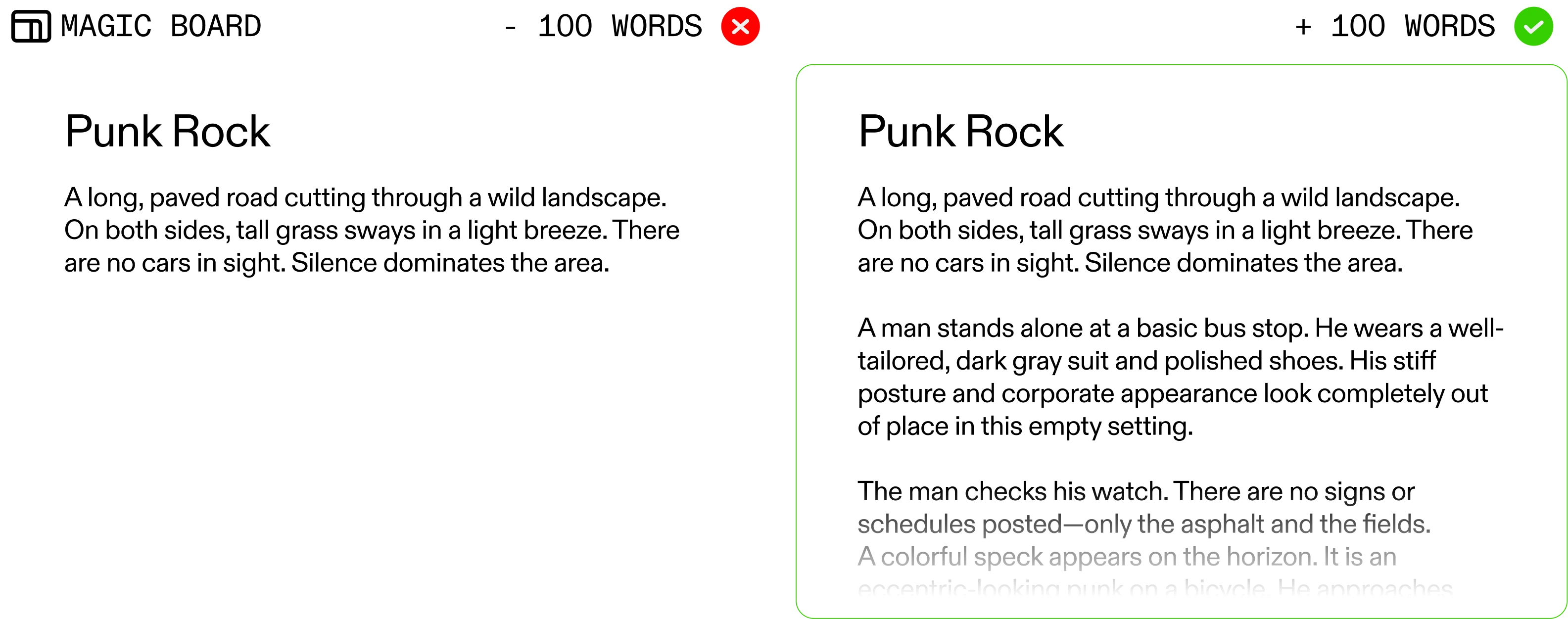
1. Give enough detail to spark great results
We recommend writing minimum 100 words, up to a whole movie script.
2. For a richer, more complete board
For better results, go big and select 100 images.
3. Looking for something different?
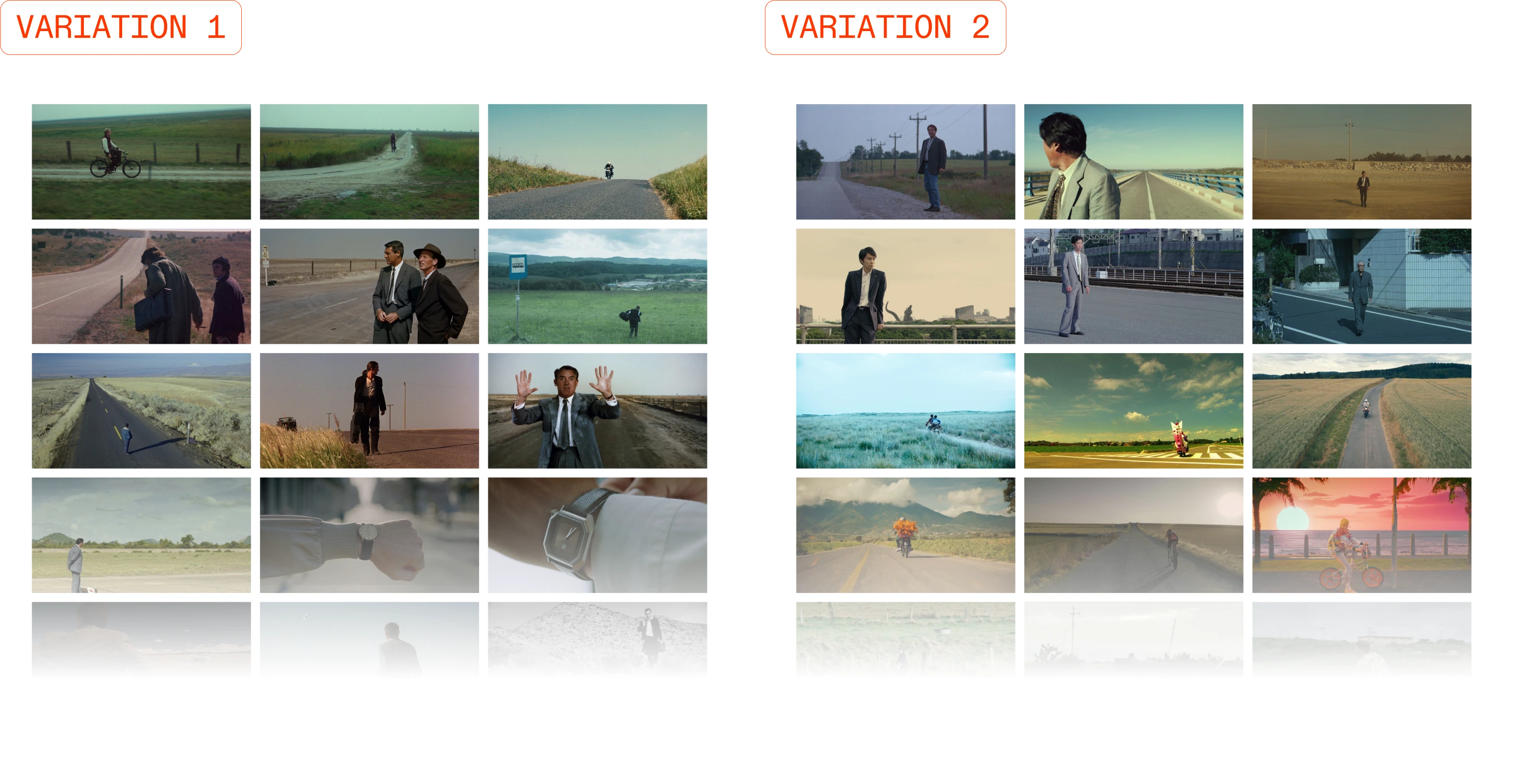
Generate a new variation from the same text. Each variation offers a new perspective!
4. Fine-tune your board
Rearrange the images within your board to perfectly match the board with your story or pitch timeline.
Remember : the Magic Board is a starting point to build on, so feel free to delete images, add new ones using AI suggestions, and reorder them within the board so it fits exactly what you have in mind.
Our vision of AI in the creative process
Our mission is to support every step of your creative process - from finding inspiration to creating your own thanks to AI. However, we believe that AI is there to assist, not replace, human creativity. To find out more about our commitments, read our Manifesto.
As always, stay tuned as we continue to refine our Magic Tools suite to better serve your creative needs.
.webp)
Got
Questions?

Magic Board is a feature that turns a written synopsis, pitch or script into a visual board, automatically selecting matching stills from Flim's database.
Write or upload your text, choose a board size of 25, 50 or 100 images, and Flim's AI builds a visual board from your narrative, ready to reorder and refine.
No. Magic Board is a Pro plan feature.
Flim recommends at least 100 words, up to a full movie script, for a Magic Board that captures enough narrative detail.
Yes. Generating a new variation from the same text produces a different selection of images, offering another visual perspective on the same story.