Crafting pitches with Flim's Magic Tools
Director Daniel Morcos wears two hats: directing commercials and music videos, and consulting on pitches and treatments. In both roles, he leans on Flim's Magic Tools, Style Transfer and Image Mixer, to turn reference images into visuals that feel pulled from real films. This interview covers how he integrates the tools into his workflow, and where they work best.
Daniel Morcos is a talented, award-winning director, and we're proud to count him as a committed user of Flim. Daniel wears two hats: he directs commercials and music videos, and he also works as a development consultant, helping clients prepare for investment, pitching, or fixing creative challenges. In his consulting role, Daniel relies on Flim's Magic Tools (Style Transfer and Image Mixer) to bring creative visions to life. We had a chat with him to get a better grasp of how he uses these tools on a daily basis.
How did you first start using Flim in your creative process?
As a director, I initially used Flim for more traditional purposes like searching for visual references and building decks. It's great for color-picking and pulling together similar images. Often I have one image as an idea but I need more: Flim's capacity to point me in the right direction is very useful.
What led you to start using our Magic Tools?
I also work as a development consultant, which means I'm building worlds, in most cases for clients, trying to sell a project's vision, its time and setting, its characters… It's not like concept drawings (which I always refer clients to real artists for), but more about showing images that feel like they could be pulled from actual films. That's where Flim's Magic Tools are helpful. Sometimes I have a specific image in mind, but it doesn't quite fit the setting or the tone I need. Flim's ability to tweak an image with just a few clicks has been really useful.
What do you find valuable about Style Transfer and Image Mixer compared to other AI image generators?
Mainly, what sets Flim apart is how close it stays to the source images. With other AI tools like MidJourney, it often goes way off track, and you need to put in a lot of work to train it to understand your style. It's incredibly time-consuming: I can spend a whole day to get three usable images, because I want tasteful, familiar visuals that won't confuse a reader.
With Flim, it's two clicks, and I get something I feel confident using in a deck, on a whole slide. It maintains the integrity of the original image, which makes it easier to integrate into projects that often will be using existing works for reference.
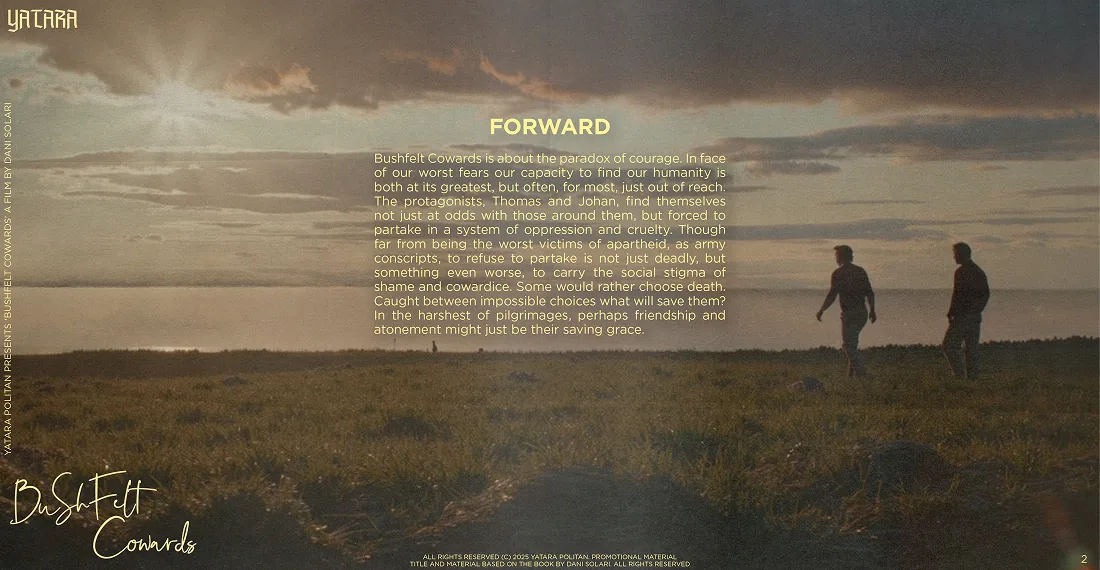
Here's an example of how I use these images in my decks.
.jpg)
Could you share an example of a time when Flim's Magic Tools made a difference?
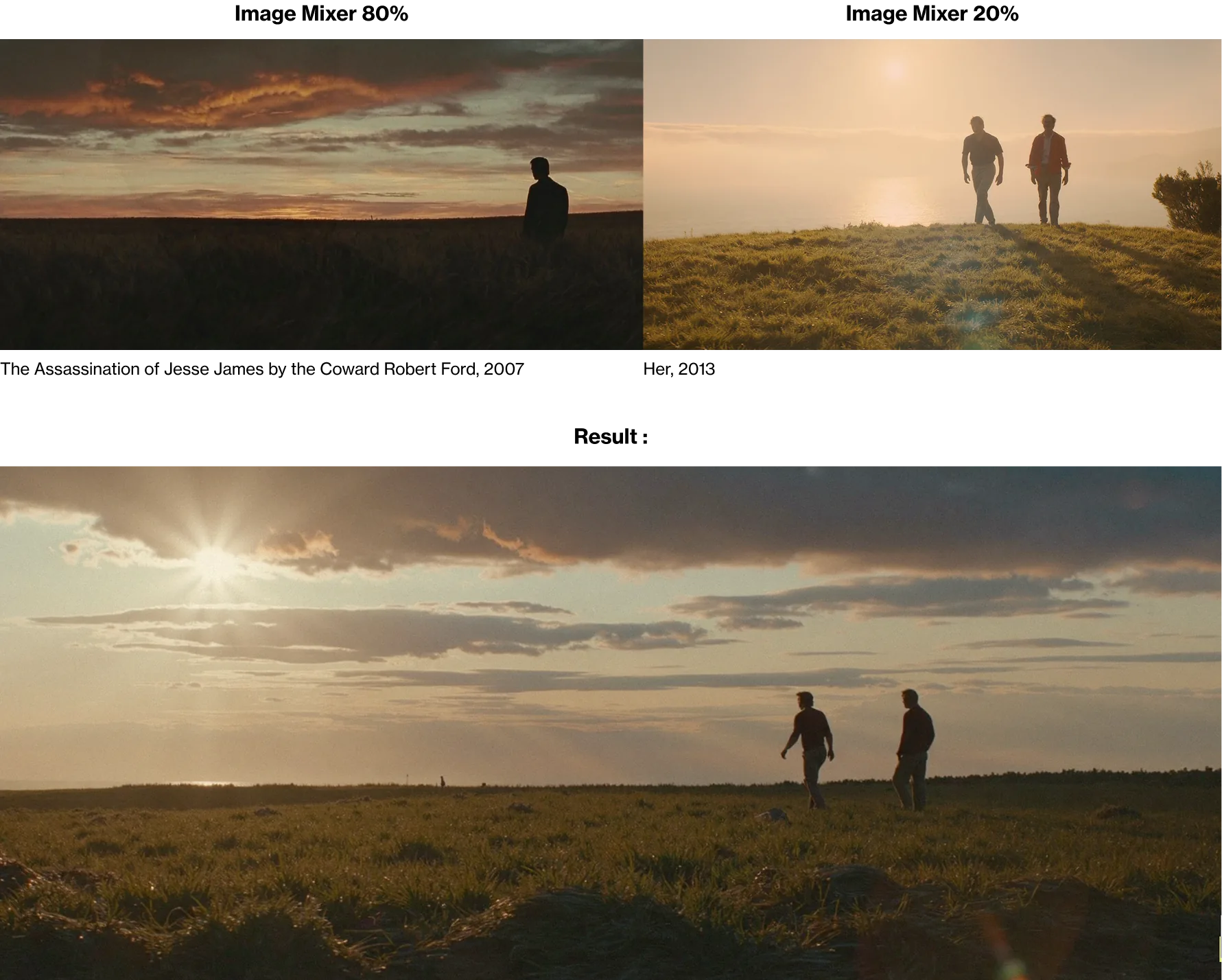
Sure! For this project I needed an image of two young men walking into the sunset in an open field. I found two references that contained different aspects of what I was looking for. By using the Image Mixer, I got a great result! What I love is that with Flim, I'm not questioning whether it looks like a real reference.
Do you have any tips to share with us about how to use those tools?
Definitely! I found that when Style Transfer and Image Mixer work best is when the main image is already 80% to 90% right, meaning it already has the right composition and camera angle.
That's because these tools aren't great at grasping abstract thinking. You still have to search visually and get as close as possible before using Flim for those final touches. I think it applies to all IA image generation: if you can't imagine the result you want, you're kind of playing russian roulette and most of the time it's not good (but can be amusing).
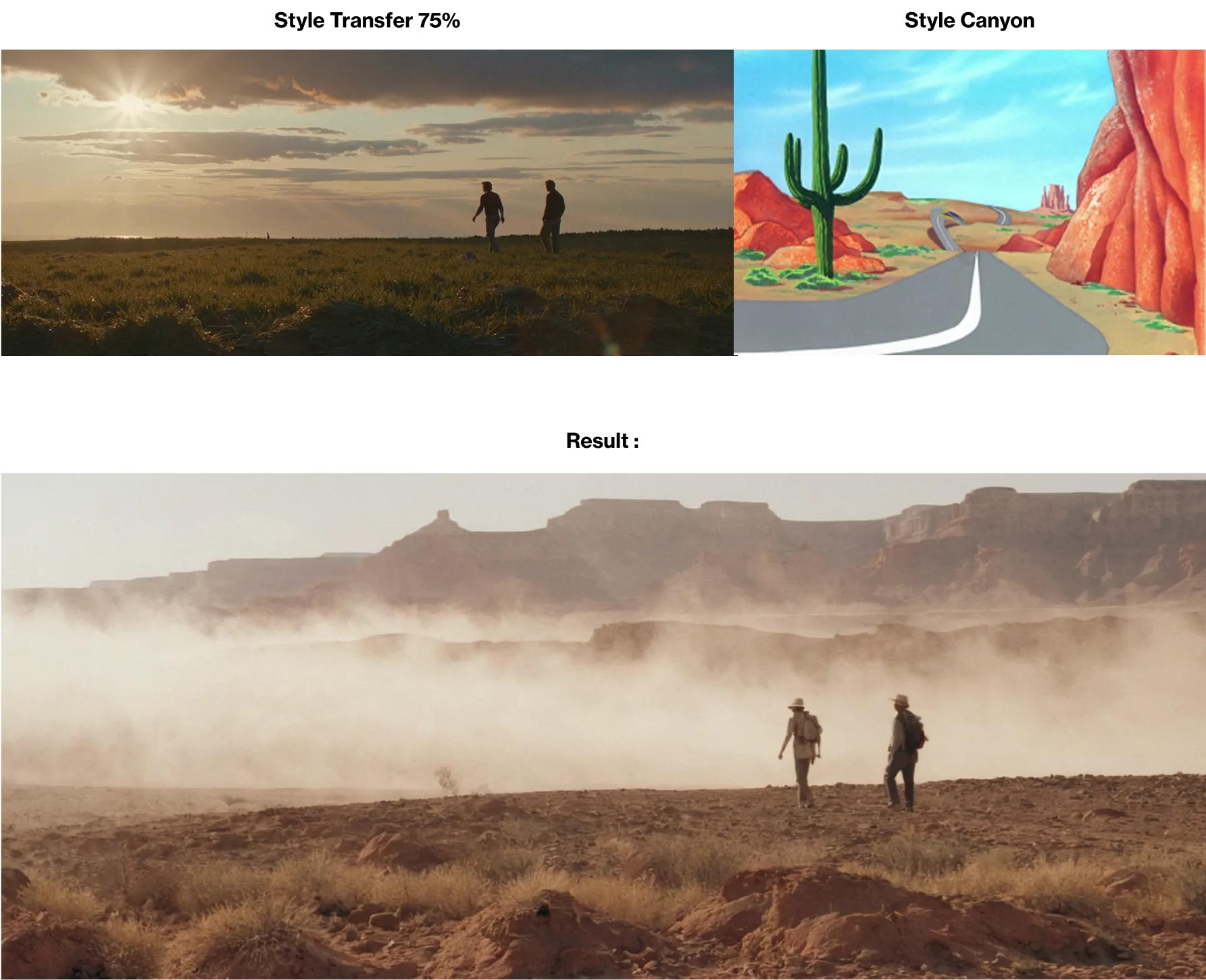
Another tip is that you can combine the tools: using Image Mixer first, and then adjust the setting with Style Transfer. The grain and lens effects are spot on. Also if you use Style Transfer twice, it refines the result. It's a powerful way to fine-tune.
If you could add a new tool to Flim, what would it be?
It would be great if we had more editing parameters. Like, selecting a specific part of an image to change. That could help world-building much faster than days and days on Midjourney, trying to create something out of thin air.
Basically, Flim is a training sample: because it has a fantastic library of movies and music videos, the results of image generations are already amazing. So if we have more control over this training sample, for example prompting "use the style of this sample of images"... that could be a powerful tool!
Funny enough, that's exactly what we're working on next!
Thanks so much Daniel for sharing your insights with us."
And if you're curious, here's where you can dive into Daniel Morcos' work.

Got
Questions?

Flim's Magic Tools are Style Transfer and Image Mixer, used to tweak reference images for pitches, treatments and decks.
As a development consultant, he uses them to adjust reference images so they match the exact setting or tone of a client project, without needing concept art.
They work best when the base image is already 80 to 90 percent right, meaning it already has the correct composition and camera angle.
Yes. Using Image Mixer first, then adjusting with Style Transfer, is one way to fine-tune a result, and applying Style Transfer twice refines it further.
According to Daniel Morcos, Flim stays close to the source image, delivering a usable result in two clicks rather than a full day of iteration.