What is a jump cut? Definition, examples and how to recreate one
A jump cut is an edit between two shots of the same subject, filmed from almost the same position, that removes a stretch of time so the subject seems to jump within the frame. It breaks the 30-degree rule of continuity editing on purpose, which makes the cut visible instead of hiding it.
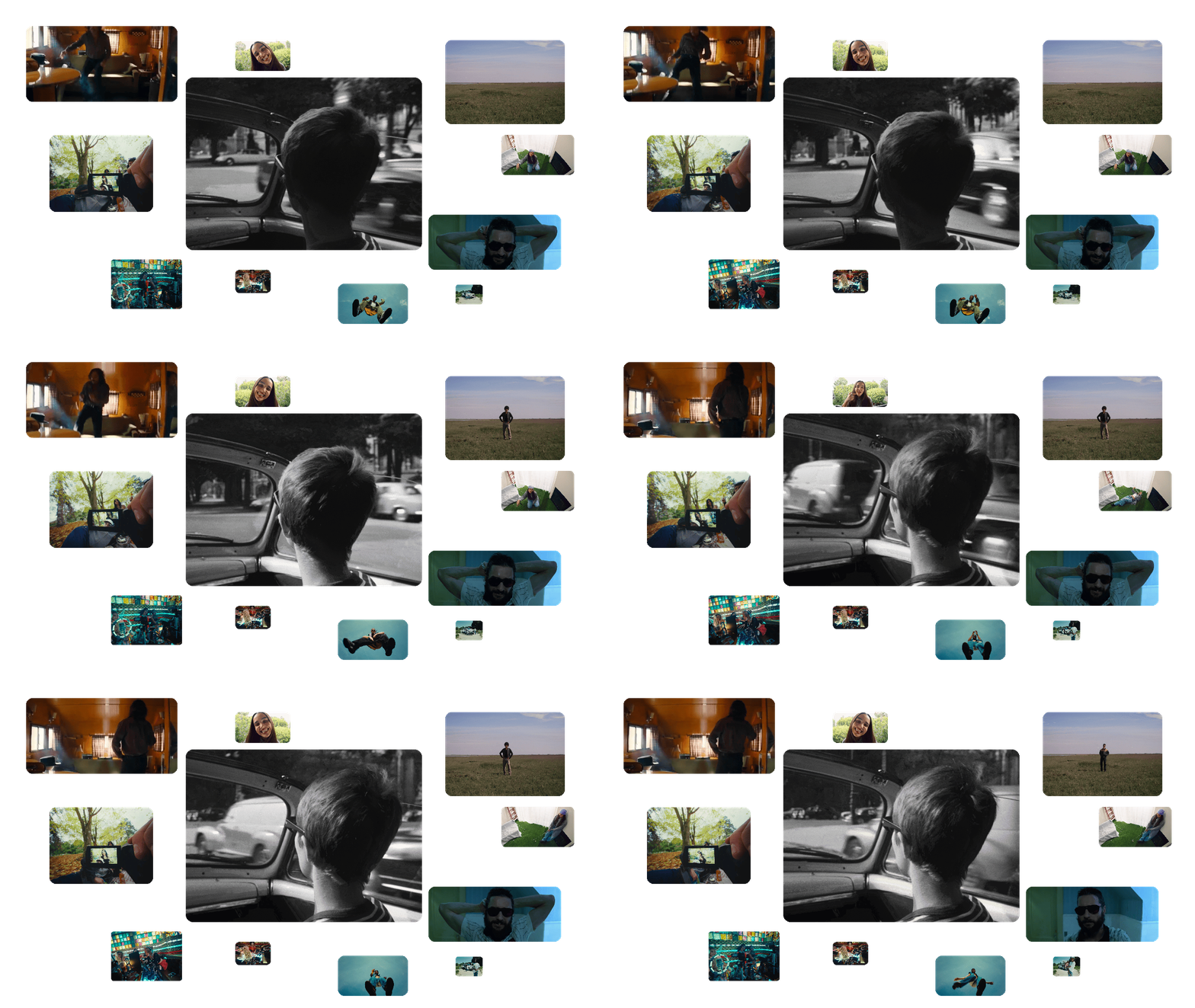
To a first-year student, a jump cut looks like a mistake. To everyone else, it is one of the most expressive cuts in editing. It made Godard's Breathless feel like nothing before it, it gives a montage its rhythm, and it holds most talking-head videos together. This guide covers what a jump cut is and how it differs from a match cut, where it comes from, why directors reach for it, how to shoot and edit one, and how to recreate one with generative video when the shot was never filmed.
What is a jump cut in film?
A jump cut joins two shots of the same subject taken from nearly the same camera position, with time missing in between. The framing barely changes, so the skip becomes visible: a character is suddenly a step further, a cigarette is suddenly shorter, the light has moved.
Classical continuity editing is designed to hide cuts. One of its rules, the 30-degree rule, asks the camera to move at least 30 degrees around the subject between two consecutive shots, so the change of angle justifies the cut. A jump cut stays under that threshold, and the eye notices.
Jump cuts come in two forms:
- Temporal: a section is removed from one continuous take. This is the most common form, from Breathless to interview editing.
- Spatial: two separate takes are filmed from the same position and cut together, so the subject changes place or state between them.
Either way, the effect is the same. In their reference textbook Film Art: An Introduction, David Bordwell and Kristin Thompson note that jump cuts tend to draw attention to the constructed nature of the film (8th edition, 2006, p. 254).
Is a jump cut a mistake?
Only when nobody chose it. An accidental jump cut reads as a continuity error. A deliberate one is a decision about time, rhythm or point of view, and the rest of this guide is about making that decision on purpose.
How is a jump cut different from a match cut, a smash cut or a cutaway?
A jump cut is the only one of these four cuts that keeps the same subject and the same framing. The others change subject, place or tone.
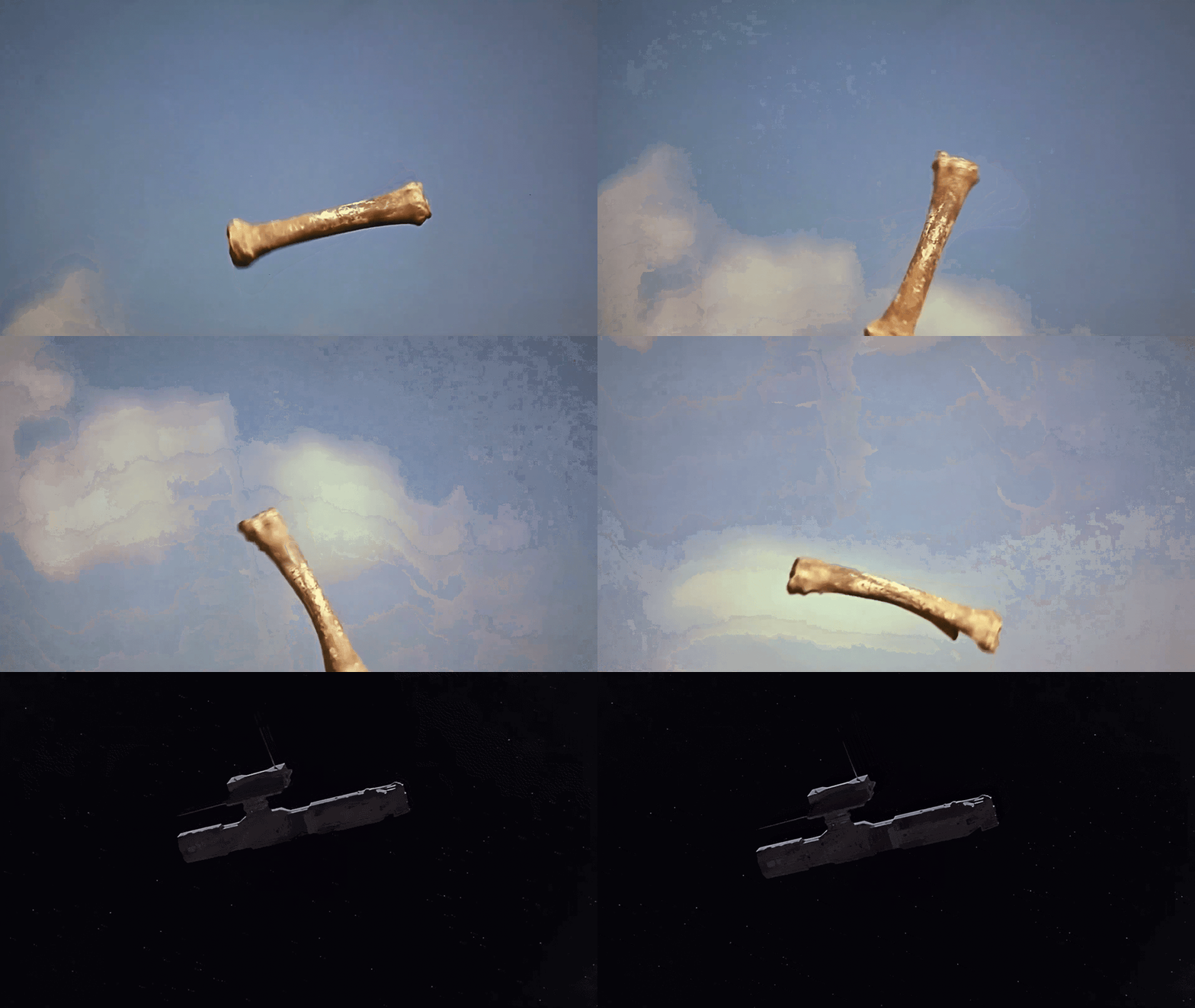
The best-known match cut is in 2001: A Space Odyssey (1968), where a bone thrown in the air becomes a spacecraft. The cutaway is the jump cut's opposite: editors use it precisely to avoid a jump, by inserting a reaction shot or a detail over the missing seconds.
Where does the jump cut come from?
The jump cut is almost as old as editing, and its meaning has changed three times.
1. Early cinema, the trick. Stopping the camera, changing something in the frame and starting again made objects and people vanish. Georges Méliès built his illusions on the effect, and The Tempest (1908) uses it to make Ariel disappear and reappear.
2. 1929, Soviet montage. Dziga Vertov's Man with a Movie Camera is cut almost entirely in jumps. In Alexander Dovzhenko's Arsenal, the camera cuts closer to the same face again and again, a fragmentation that, in Mark Cousins' words, captures the character's indecision and confusion (The Story of Film, 2004, p. 270).
3. Classical Hollywood, the error. As continuity editing became the norm, the jump cut became something a good editor was trained to avoid or cover with a cutaway.
4. 1960, the statement. Godard's Breathless, edited by Cécile Decugis, turned the error into a style. The first cut ran around two hours, and the film needed to lose about thirty minutes to be released. Rather than drop whole scenes, Godard cut inside them (Senses of Cinema). The jump cuts of Jean Seberg in the convertible came out of that pass.
5. Television, then the internet. Arthur Schneider, editor of Rowan & Martin's Laugh-In, brought the jump cut to TV comedy in the late 1960s. Today it is the default rhythm of documentary interviews, vlogs and the "remove silence" button in most editing software.
Why do directors use jump cuts?
Directors use jump cuts when the skip in time says something the scene needs. Each use below has a different job, which is the difference between a technique and an error.
Feature films set the reference, but the jump cut lives just as much in short form today. Music videos use it to cut on the beat and make a performance feel restless, and ads use it to compress a product story into fifteen seconds. If you work on a music video treatment, that is where most current examples are.
The most famous jump cut in cinema started as a running-time problem. Godard found it in the edit, with scissors and a deadline.
How do you shoot and edit a jump cut?
A good jump cut is planned at the shoot and finished in the edit. Everything except the element that jumps should stay still.
1. Keep the camera under 30 degrees. Same position, same height, same side of the subject.
2. Lock the framing. Same lens, same distance, same headroom. The more identical the two shots, the clearer the jump.
3. Decide what jumps. Position, expression, costume, light, time of day: pick one and change only that.
4. Cut on relative stillness. Cutting between two settled moments reads as a choice. Cutting mid-gesture reads as a glitch.
5. Keep the cut hard. No dissolve, no fade. A transition over the gap turns the jump cut into something else.
6. Size the jump. A few frames feel nervous and glitchy. Several seconds or minutes feel like a montage.
How do you find jump cut references on Flim?
A jump cut happens between two frames, so you will not find one by typing "jump cut" into a search bar, on Flim or anywhere else. You find it by title and by sequence. To save you the first hours, the Flim team keeps a curated board of jump cut references.
- Start with the Jump cut board. Film stills and video cuts selected by the Flim team, each with its full credits: director, director of photography, production house and release date. Anyone with the link can view the board. Playing the video cuts requires the Pro plan.
- Search by title or director. Type a film or a name in the search bar and the Instant Search Suggestions take you to the media. Then use Search inside a media to pull consecutive frames from the sequence you remember.
- Look at music videos and ads. Video Cuts come from music videos and commercials, which is where jump cuts are used most today.
- Keep them in a Board. Save the pairs that work into your own Board and bring them into a director treatment or a pitch deck.
Once you have the jump, the rest of the shot is easier to search. AI Search understands mood, light and composition in natural language, so "harsh noon light in a parked convertible" finds the frames around the cut, even if it cannot find the cut itself.
How do you recreate a jump cut with AI?
Recreating a jump cut with AI comes down to one problem: consistency. Two separate generations of "a woman in a red coat by a window" will rarely share the same face, coat and light. What should read as a jump cut reads as a continuity error. The fix is to lock the shot and change one thing.
On Flim, generation happens in the AI Dock, on the Pro plan. A workflow that holds up:
1. Lock the look. Drag a still from your board into the AI Dock as the Seed image, or apply an Aesthetic built from 4 to 10 images of the sequence.
2. Generate shot 1 with Nano Banana: subject, framing, lens, light, setting, action A.
3. Generate shot 2 from the same Seed image, repeating the exact same description and changing only action B.
4. Animate both with Seedance 2.0, which takes several image references, or write each shot for Veo 3.1. Clips run 4 to 15 seconds.
5. Make the cut yourself in your editing software. The jump cut is an editing decision, and it is far easier to control in the edit than inside a single generation.
The prompt formula, reused word for word for each shot:
A worked example: "A woman in a red wool coat, static medium close-up, eye level, 50mm, seated at a rain-streaked café window, overcast daylight, looking down at a cup." For shot 2, keep every word and change the last part: "looking straight at the camera, half smiling." Cut the two together and the café, the coat and the rain hold still while she jumps.
If you prefer to try it in a single video generation, here is a prompt to copy and adapt:
Results vary from one model and one generation to the next, which is why the two-shot method above stays the safer choice for a pitch.
Two limits to keep in mind. Generations cannot depict recognizable people, so you recreate the grammar of a scene, never its actors. And like everything in the library, generations are for pre-production and pitches, not for final client deliverables. For more on working with several references at once, see how to generate videos with multiple image references.
Got
Questions?
Only when it is accidental. An unmotivated jump cut reads as a continuity error. The same edit becomes a technique when it is chosen to compress time, build tension, show a state of mind or make the audience aware of the edit.
The 30-degree rule says the camera should move at least 30 degrees around the subject between two consecutive shots. Below that, the two shots look almost identical and the cut reads as a jump. A jump cut breaks the rule on purpose.
A jump cut keeps the same subject and the same framing and makes a skip in time visible. A match cut joins two different subjects or places through a shared shape, movement or composition, like the bone and the spacecraft in 2001: A Space Odyssey.
Breathless (À bout de souffle), directed by Jean-Luc Godard and released in 1960. Its jump cuts became a signature of the French New Wave, although the technique already existed in early trick films and Soviet montage of the 1920s.
To remove pauses, hesitations and retakes from a single talking-head take without cutting away. The result keeps the speaker's energy and packs more information into less time.
The most reliable method is to generate two short clips that share the same subject, framing and light, change one element between them, and make the cut yourself in the edit. Locking the shot with the same seed image across both generations keeps the jump legible.